

 ART GENERATOR
 EXPLORE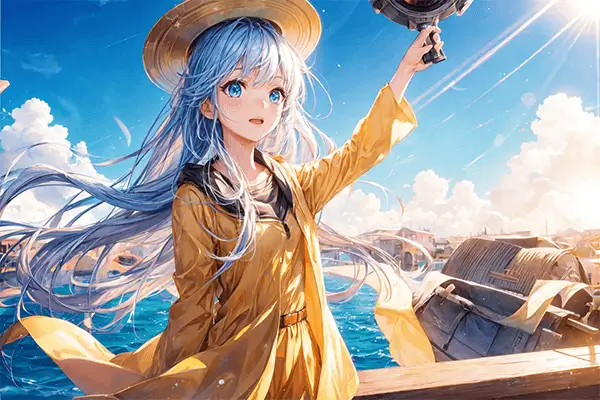
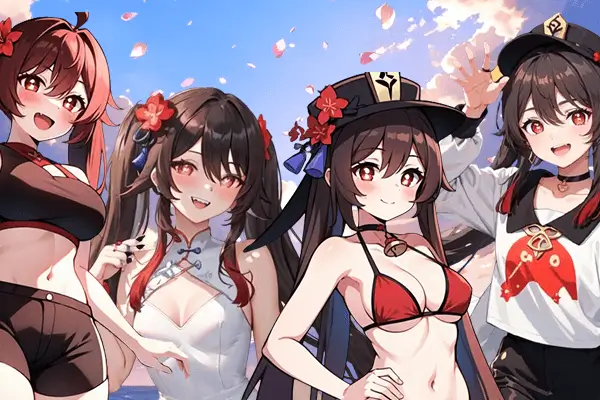


 TUTORIAL
How To
Learn how to use AnimeGenius AI tool with detail text & video tutorial.
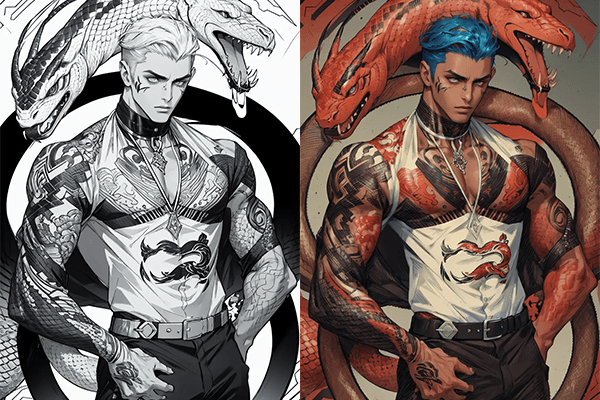
Use Case
Find the hidden features of AI text-to-image generators and learn how to master AI for creative uses.
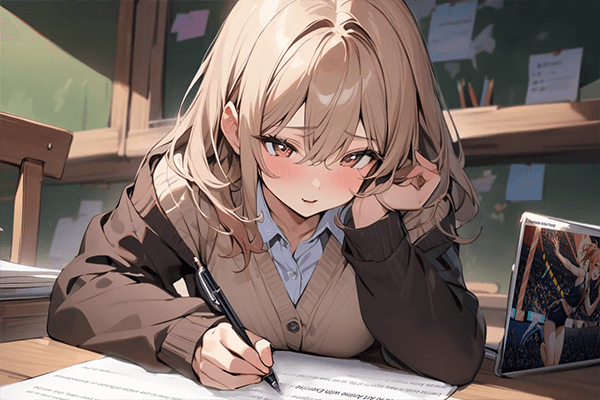
Prompt Guide
We provide detailed prompt tutorials to help you use AI like a pro

Parameter
Learn the usage of Stable Diffusion parameters and get more professional AI skills in generation.
How to Bring Anime Characters to Life with AI (2 Free Easy Ways)
Anime has captured the hearts of millions around the world, enchanting fans with its unique art style, dynamic characters, and rich stories. The idea of transforming these iconic 2D figures into real-life images is an exciting trend that has sparked the imagination of many. This process brings up intriguing questions:
- What if you could bring your favorite anime character to life?
- Would they maintain their heroic qualities, like Uchiha Itachi's deep loyalty and sacrifice?
- Or would they come to life more playfully or differently, like characters from popular games such as Genshin Impact?
For anime fans, blending fantasy with reality offers an exciting chance to connect with beloved characters in a new way.
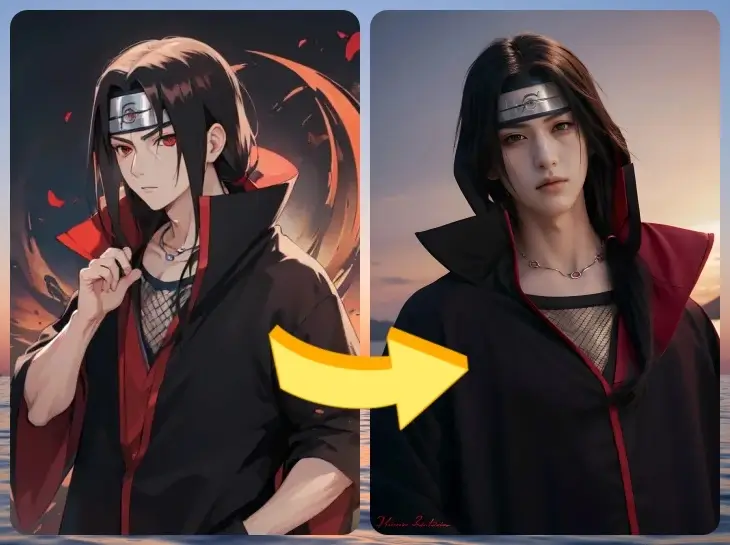
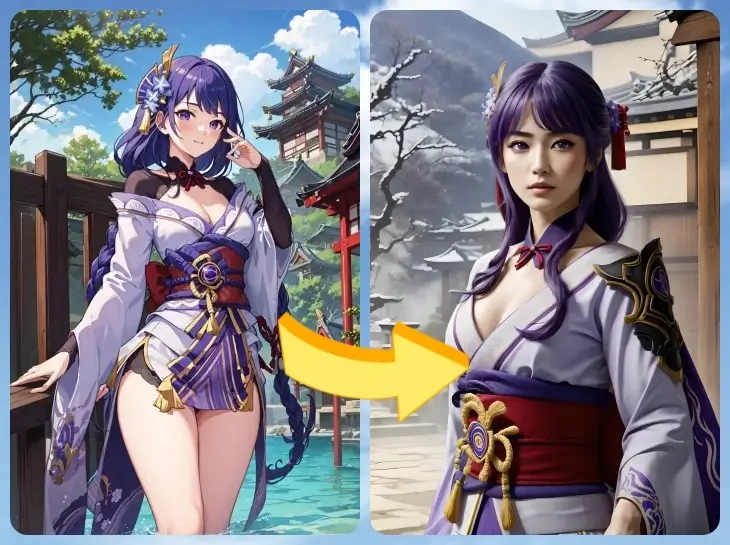
With the power of AI image generation tools, such as Stable Diffusion, we can now make anime characters appear as if they could walk out of the screen and into our world. This technology allows us to see anime characters in a more lifelike form, deepening our connection to the stories and characters we love. In this article, we’ll uncover how AI transforms anime characters into realistic images, showcase some examples, and offer tips to help you get the best results. You're in the right place if you've ever wondered what it would be like to see your favorite anime character in real life.
How AI Turns Anime Characters into Real-Life Images
AI-powered tools, like Stable Diffusion, have made it possible to turn anime characters into lifelike images. Think of AI as an artist who understands both anime and real-world portraits. It starts by analyzing the anime character’s face, body, and clothes, and then adds realistic elements like skin textures, hair strands, and lighting to make the character look more like a living person.
- Understanding Stable Diffusion: Stable Diffusion is an advanced AI model trained on millions of real-world images. When you upload an anime character, the model draws on this vast knowledge to refine the image, making details like eyes more lifelike, adjusting the lighting, and even adding realistic skin textures, such as freckles or pores. It's like turning a 2D anime drawing into a high-quality photograph.
How the AI Works: Here's how Stable Diffusion transforms the image.
- Texture: The AI turns flat anime-style hair into individual, lifelike strands.
- Lighting: It adjusts the shadows and highlights to make the characters look like they’re in natural light.
- Human Details: The AI adds realistic features such as skin tones, pores, and subtle facial expressions, making the character look more human.
By combining these elements, the AI creates a realistic version of your favorite anime character while still preserving their iconic features.
How to Bring Anime to Real Life with AI: 2 Methods You Should Know
Here, we'll introduce how tools like Animegenius can assist you in easily transforming anime characters into lifelike images, simplifying the process for both beginners and enthusiasts.
Text-to-Image: Using Existing Anime Characters for Anime Transformation
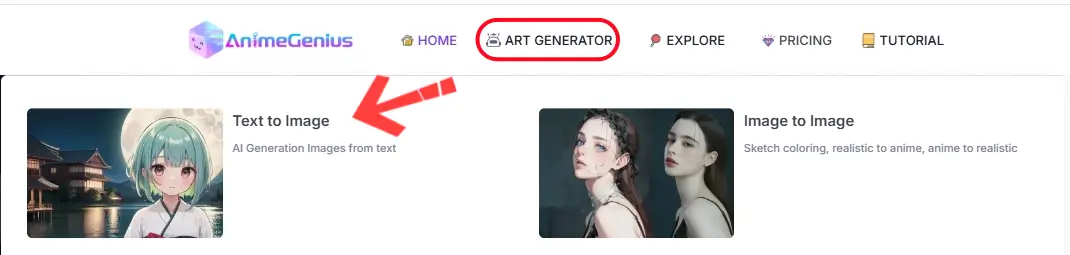
Step 2
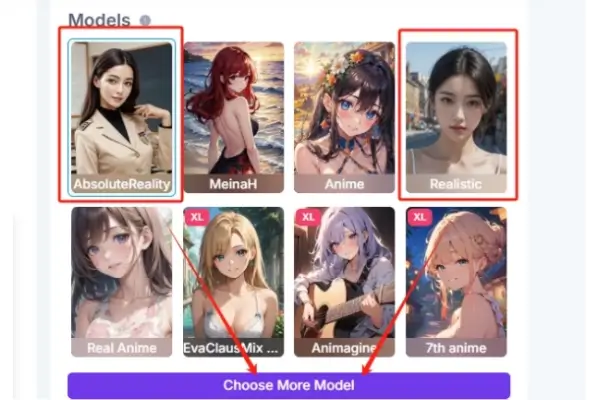
Choose “ Realistic ” or “ AbsoluteReality ” model
Step 3
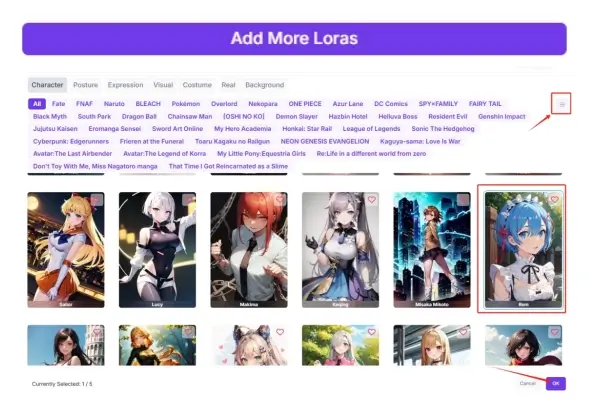
Select the anime character Loras
Step 4
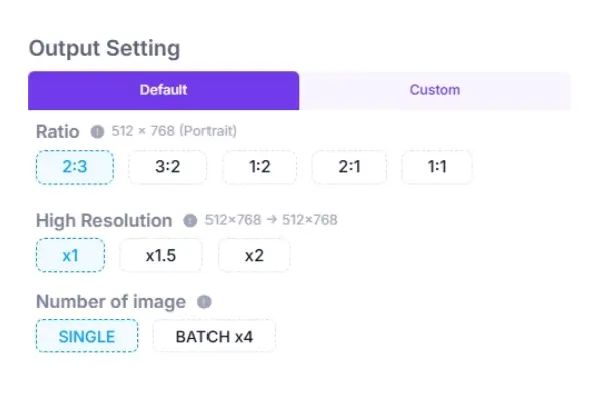
Set the quality of your output images
Step 5
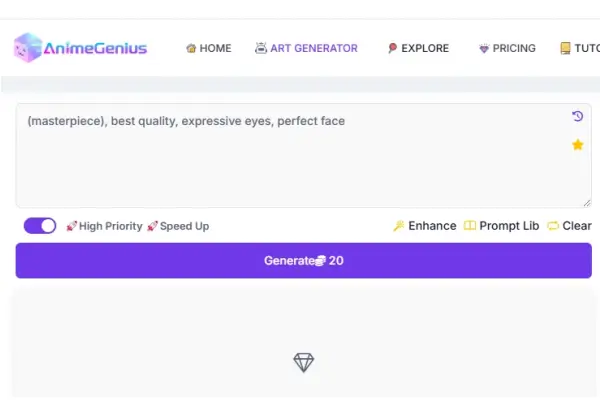
Use the default prompt to Generate
Image-to-Image: Bringing Original Characters to Life in 3D Reality
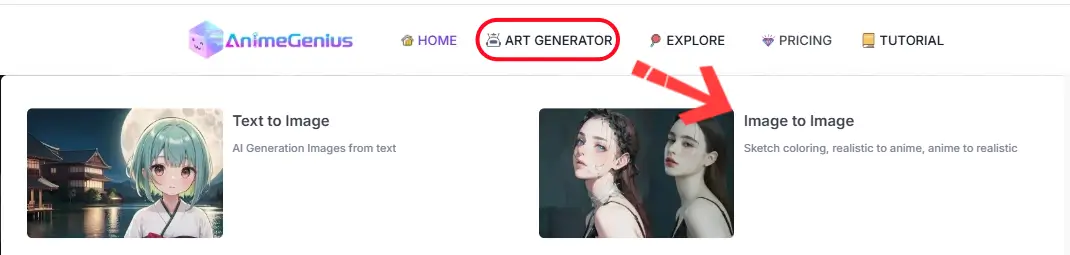
Step 2
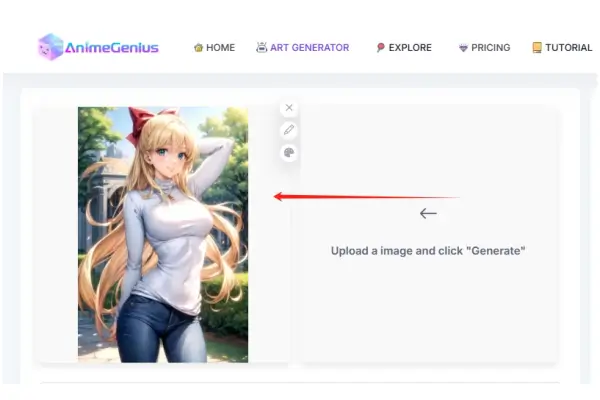
upload an original character
Step 3
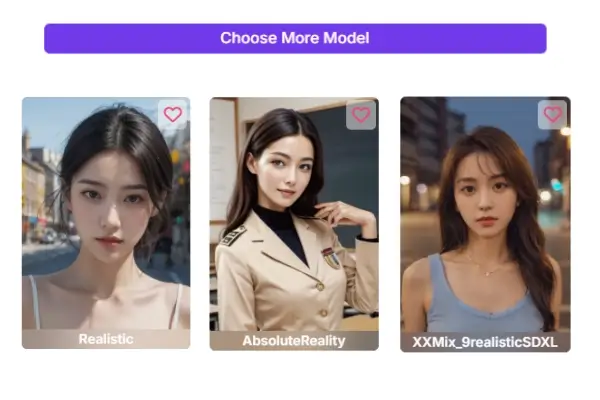
choose a realistic model
Step 4: Then click "Generate" to create a real-life version of your original character.
Results and Examples: Bringing Anime Characters to Life
Words can describe the process, but it's the visuals that truly show the magic.
Example: Text-to-Image
Transform existing anime characters into realistic human versions by creating detailed prompts. This method allows you to experiment with different levels of realism and personalization, bringing beloved characters into the real world.
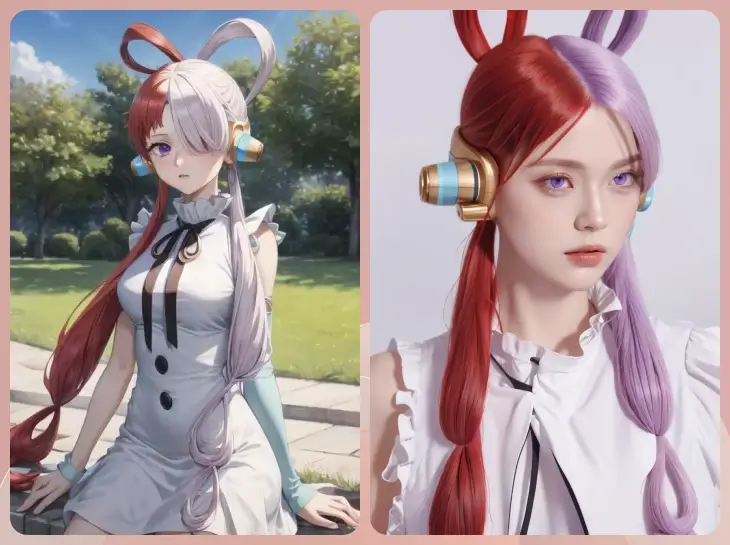
anime to life by Realistic model
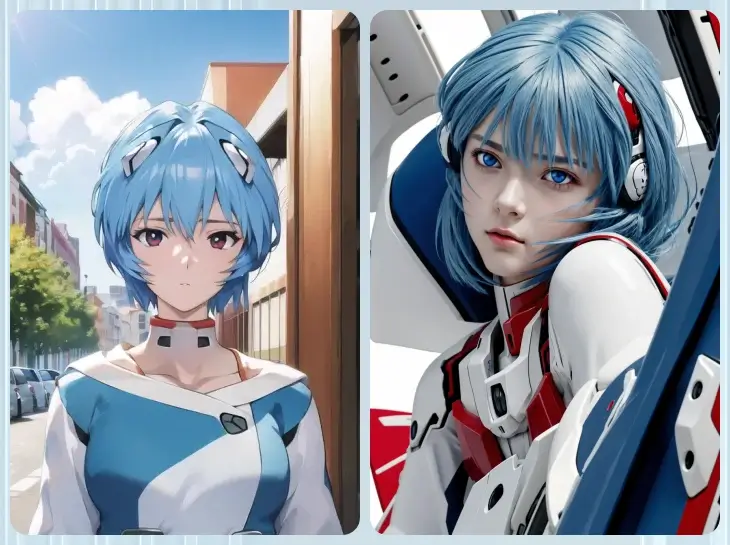
anime to life by AbsoluteReality model
Example 2: Image-to-Image
Enhance your original characters or illustrations, turning them into realistic images or 3D versions. This method allows you to adjust settings and fine-tune details to make your creations appear as though they've stepped out of an anime world and into reality.
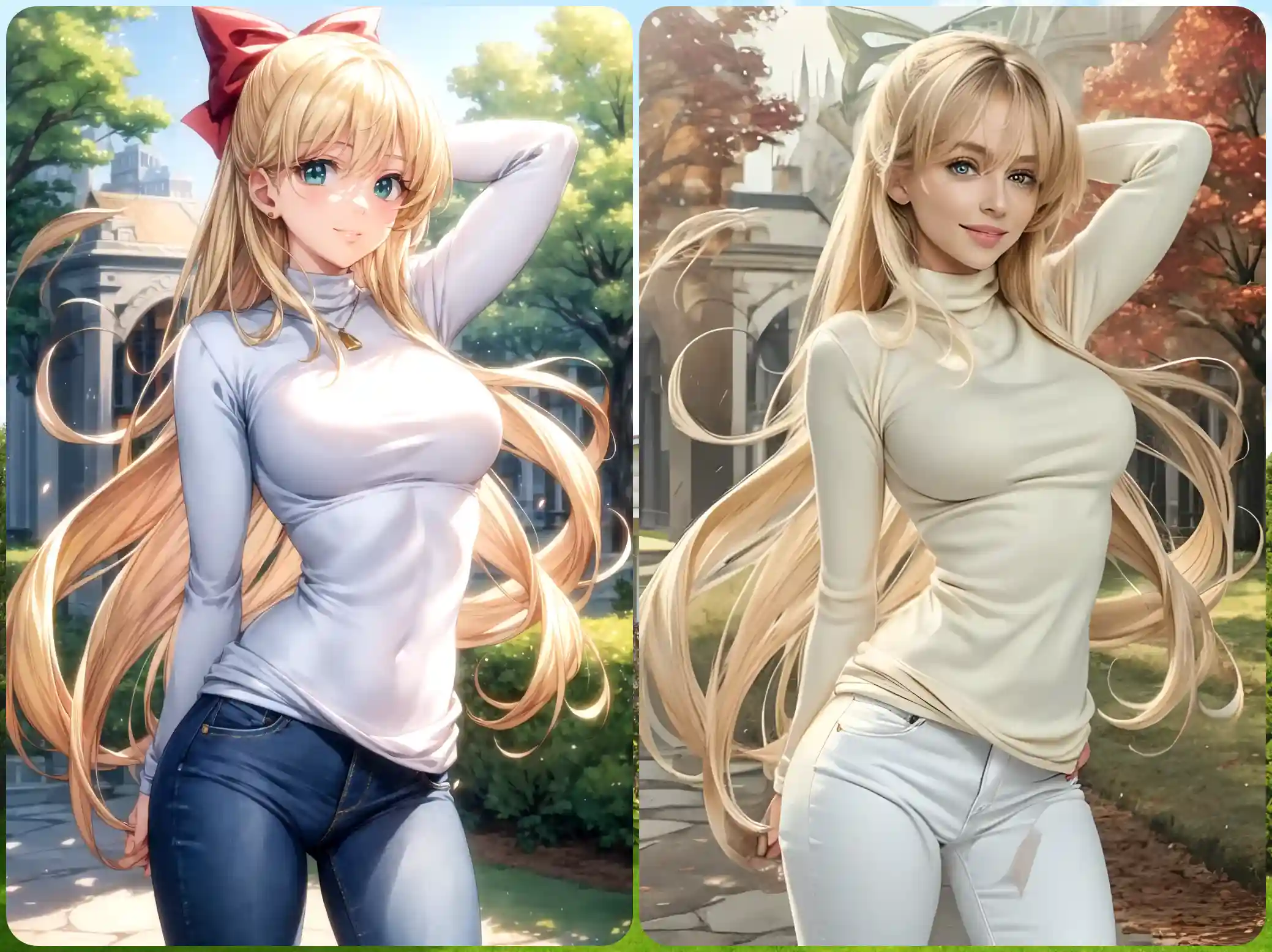
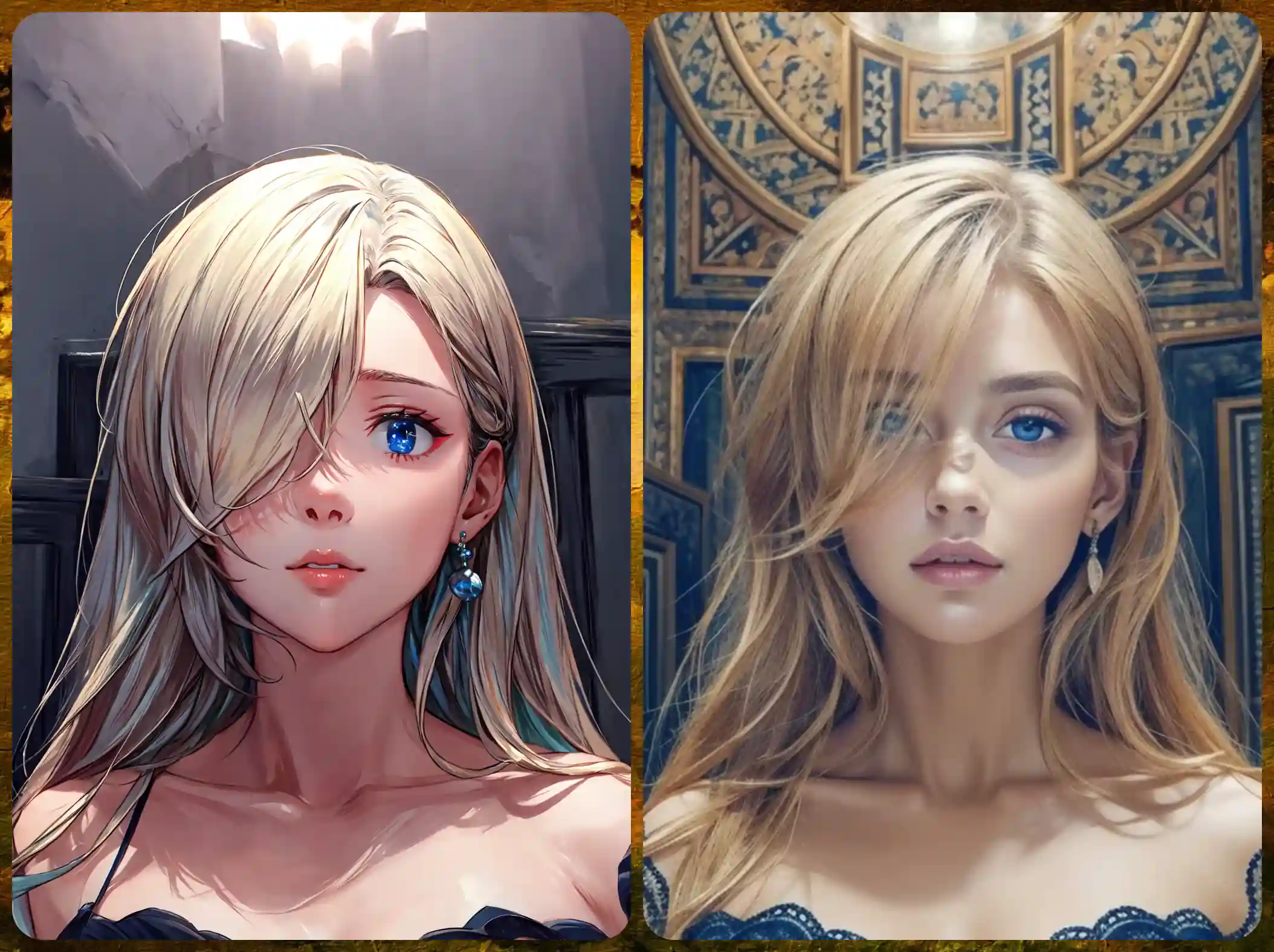
These results illustrate the incredible potential of AI in transforming anime into real-life imagery.
New: Even Smoother with Anime to Real Life Workflow
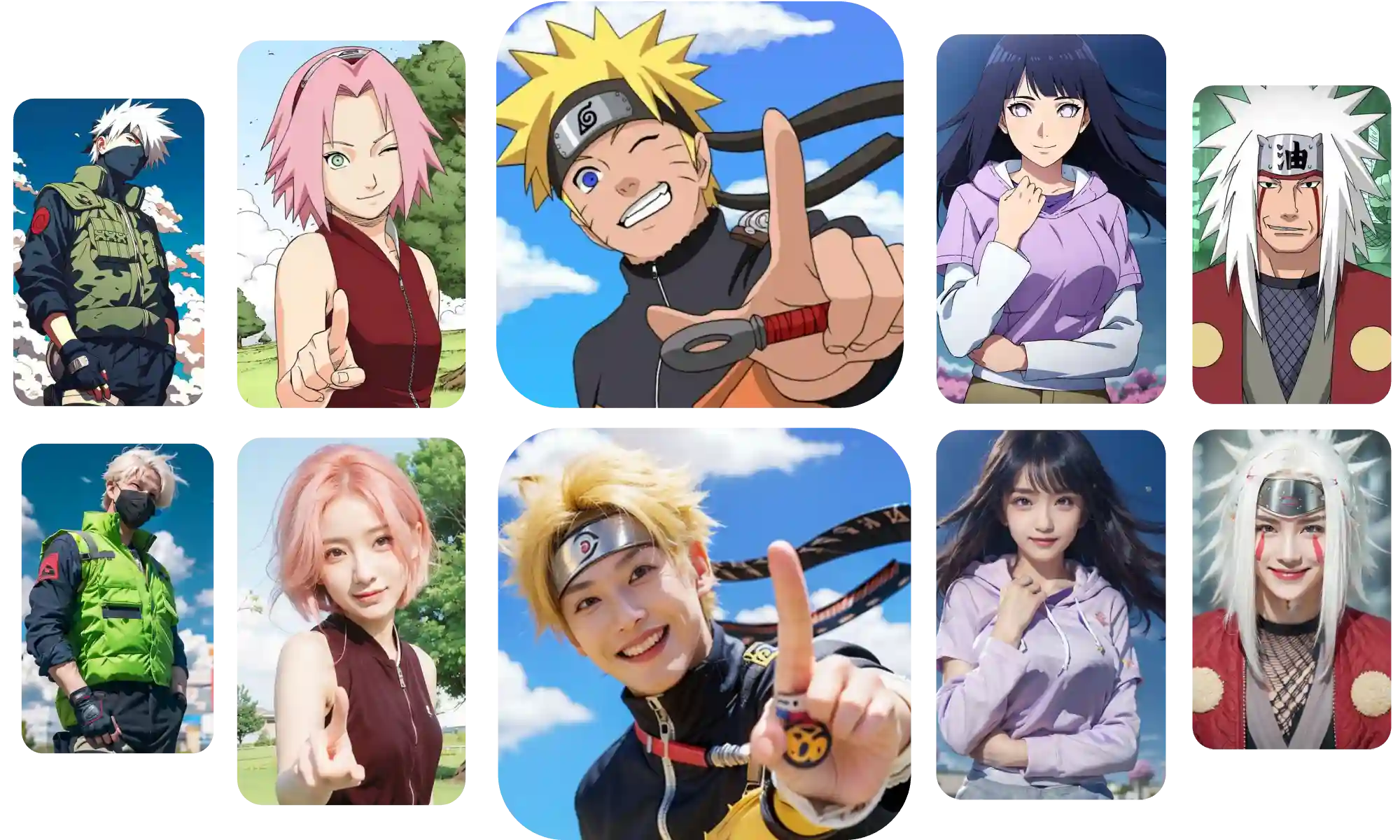
To make this process even smoother and the results more realistic, try our new Anime to Real Life Workflow.
It’s powered by advanced algorithms and natural-looking human models — no complex prompts required, just great results.
How to Enhance the Results
Enhancing the realism of anime-to-real-life transformations can be done in several ways. Here are a few tips to make your images even more detailed and lifelike:
Refining Your Prompt:
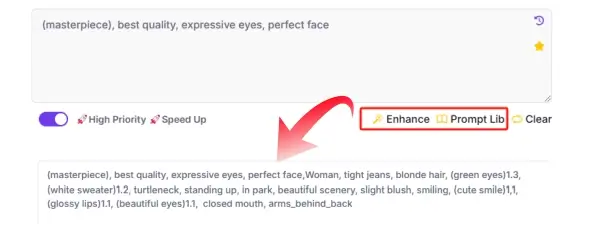
To achieve better results, use more detailed prompts. The more specific you are about the character’s features, the better the AI will understand the transformation process, bringing out finer details such as skin texture, lighting, and natural expressions. Additionally, make good use of the Enhance feature and the Prompt Lib available on the generation interface to expand and refine your prompts for more accurate results.
Using Image Upscaling:
- Before-Generation: In the settings, set "High Resolution" at the Output Setting before generating the image. This ensures that the output will have higher detail from the start.
- After-Generation: After the image is created, use the zoom feature located in the top-right corner of the generated result page to enhance the image's sharpness.
- Enhance with AI Tools: After downloading your image, you can further improve the resolution using AI-powered upscaling tools like AI Anime Upscaler to increase the clarity and make your image even more realistic.
Pros and Cons of Bringing Anime Characters to Life
Pros:
- Immersive Experience: AI lets you interact with your favorite anime characters in a whole new, lifelike way—almost as if they were standing right next to you.
- Customization: You can adjust the level of detail and style, giving you complete control over how your characters appear.
- Deeper Connection: Turning characters into realistic versions enhances your connection with them, making the anime experience more personal.
Cons:
- Realism Gaps: AI-generated images can sometimes feel off—characters might look a bit unnatural or have subtle oddities.
- Too Much Detail: If you overload your prompt with too much detail, it can clutter the image and affect its quality. Finding a balance is key.
- Learning Curve: While the tools are user-friendly, achieving the perfect result takes practice and some experimentation.
Final Thoughts: Keep Experimenting for Great Results
Bringing anime characters to life with AI is a thrilling experience, but it’s important to keep expectations realistic. While the technology is impressive, it’s still a work in progress. With patience and a willingness to experiment, anyone can achieve impressive results. Keep testing and fine-tuning to bring your favorite anime characters into the real world in the most exciting way possible!