

 ART GENERATOR
 EXPLORE


 TUTORIAL
How To
Learn how to use AnimeGenius AI tool with detail text & video tutorial.
How To
Use Case
Find the hidden features of AI text-to-image generators and learn how to master AI for creative uses.
Use Case
Prompt Guide
We provide detailed prompt tutorials to help you use AI like a pro
Prompt Guide

Parameter
Learn the usage of Stable Diffusion parameters and get more professional AI skills in generation.
Parameter
Video to Video
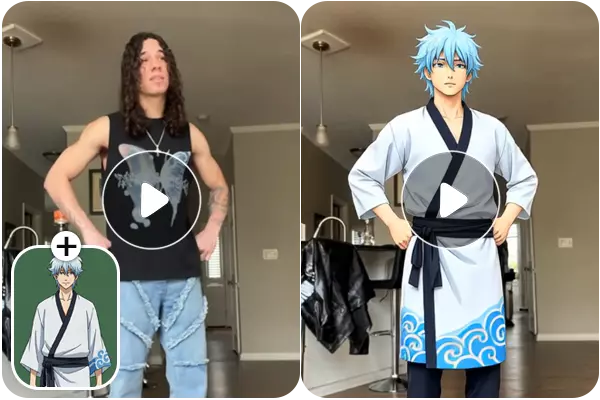
Upload an action video and a character image, and instantly generate a new video where your chosen character performs the exact same movements as the original clip.
Mode
Photo AnimateAnimate photo character based on performer video
Character SwapSwap the video character with the photo character
Performer Video
Up to 30 seconds
Character Image
Support JPG, JPEG, PNG, WEBP up to 10MB
Resolution
480p
720p
Upload image 、video and click "Generate"
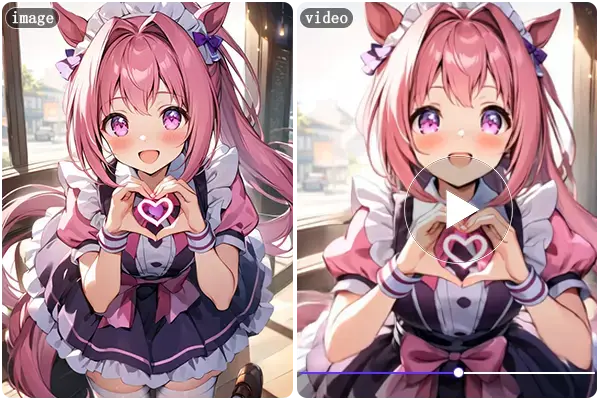
Example Videos Made By Video-to-Video AI
Want to try it? Click these templates to preview the feature effect. It's free.
FAQs about Video-to-Video Feature.
Video to Video AI is an advanced AI feature that transforms an existing video into a new character video while preserving the original motion and timing. By uploading a source video and a character image, AnimeGenius will generate a new video where the character performs the same actions as in the original footage. This allows you to recreate movements, gestures, and dynamics with a completely new character, making it ideal for animation, anime content, and character-driven videos.
AnimeGenius Video to Video currently supports two modes, each designed for a different type of creative control:
ꔷ Photo Animate
Photo Animate uses the motion from the uploaded video to animate a single character image. The AI transfers the actions, gestures, and movement dynamics from the source video to the character image, generating a new video where the character comes to life with consistent and natural motion. This mode is ideal for turning static character images into animated videos driven by real motion.
ꔷ Character Swap
Character Swap replaces the character in the original video with the uploaded character image while keeping the original motion, timing, and camera movement intact. The new character follows the same actions and expressions as in the source video, making it perfect for re-creating the same performance with a different character design.
ꔷ Photo Animate
Photo Animate uses the motion from the uploaded video to animate a single character image. The AI transfers the actions, gestures, and movement dynamics from the source video to the character image, generating a new video where the character comes to life with consistent and natural motion. This mode is ideal for turning static character images into animated videos driven by real motion.
ꔷ Character Swap
Character Swap replaces the character in the original video with the uploaded character image while keeping the original motion, timing, and camera movement intact. The new character follows the same actions and expressions as in the source video, making it perfect for re-creating the same performance with a different character design.
Currently, the Video to Video AI consumes a lot of GPU resources, costing 600 credits per second to generate 720p video and 300 credits per second to generate 480p video.
Yes. You can email to [[email protected]] with your AnimeGenius email account, we will refund the failed video credits for you.
Currently, video-to-video is a premium feature and is not yet available to free users; it's only available for Plus and Pro subscribers. To see how it works, please click on the demo video we provided to view the generated video.