
 ART GENERATOR
 EXPLORE


 TUTORIAL
How To
Learn how to use AnimeGenius AI tool with detail text & video tutorial.
Use Case
Find the hidden features of AI text-to-image generators and learn how to master AI for creative uses.
Prompt Guide
We provide detailed prompt tutorials to help you use AI like a pro

Parameter
Learn the usage of Stable Diffusion parameters and get more professional AI skills in generation.
How to use AI to create your own tattoo customizably?
Are you still struggling to find the perfect tattoo design? Are you still worried about whether the tattoo design is suitable for you or not? Don't worry, Anime Genius does both! It could create a variety of unique styles in seconds, whether you want floral designs, animals, symbols, or words. You can directy see how your tattoo will look like on your body.This article will show you step by step how to use it to create an unique tattoo.
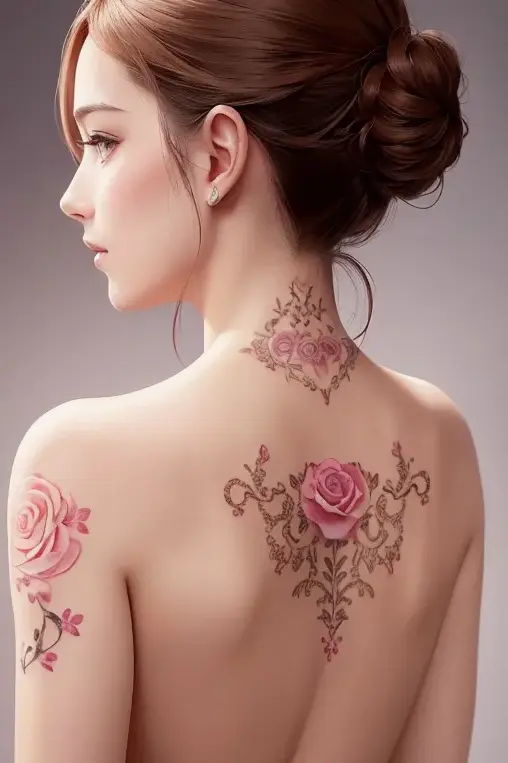
1. Examples of AI-generated Tattoo on AnimeGenius
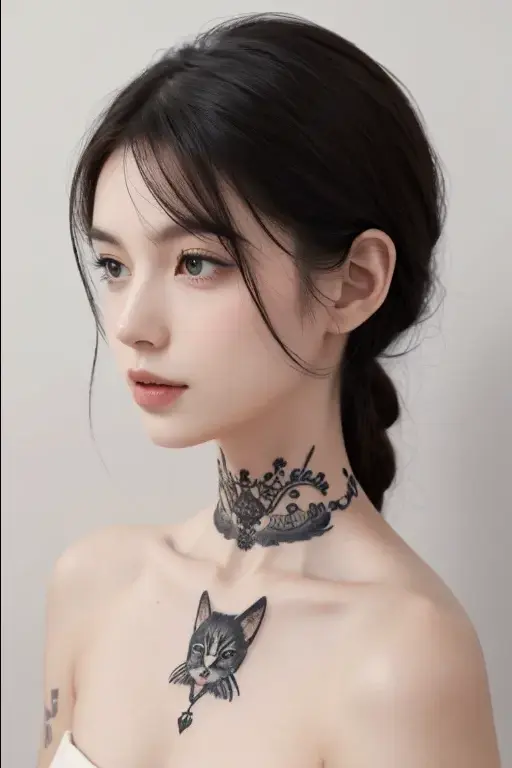
A medium-sized cat tattoo adorning the neck, delicate, intricate linework, black and white, minimalist, subtle shading
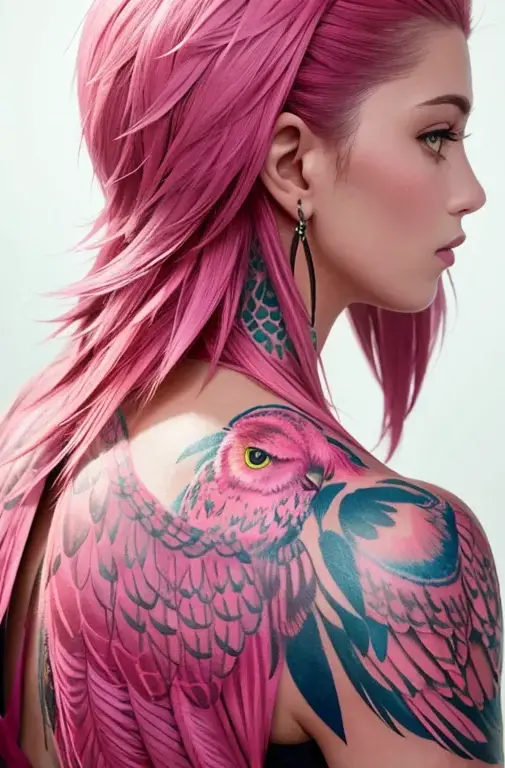
A large pink owl tattoo perched majestically on the person's neck, vibrant color, detailed linework, realistic, sharp focus(example of ai tattoo on the body)
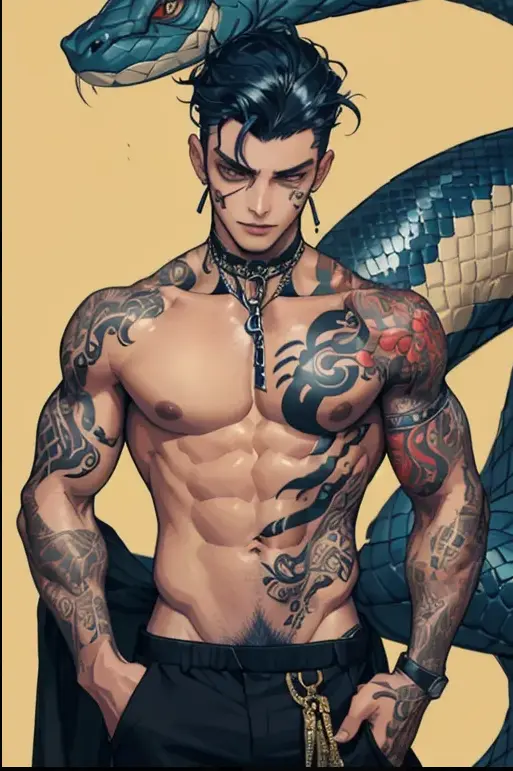
A sleek and intricate snake tattoo coils around a boy's neck, vibrant and detailed. Bold, dark lines contrast with the boy's skin, creating a striking and edgy look.
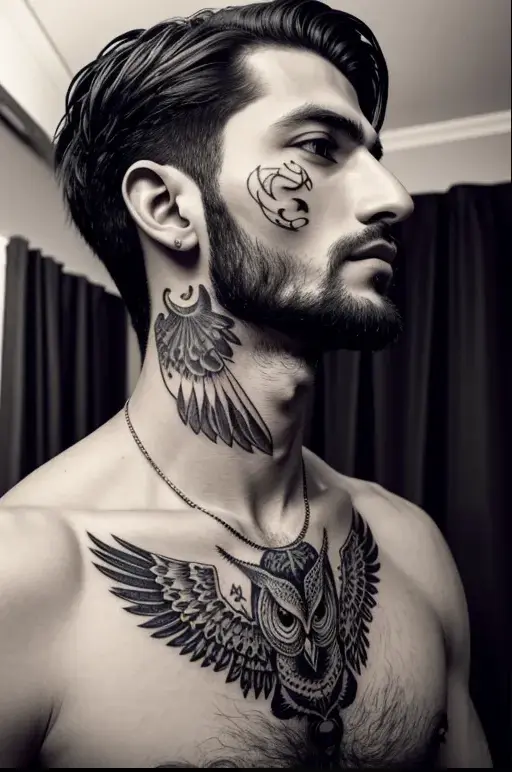
A detailed black and white owl tattoo adorning the neck of a young man, intricate linework, bold contrast, realistic, high detail.
2. how to create AI tattoo image on the body directly
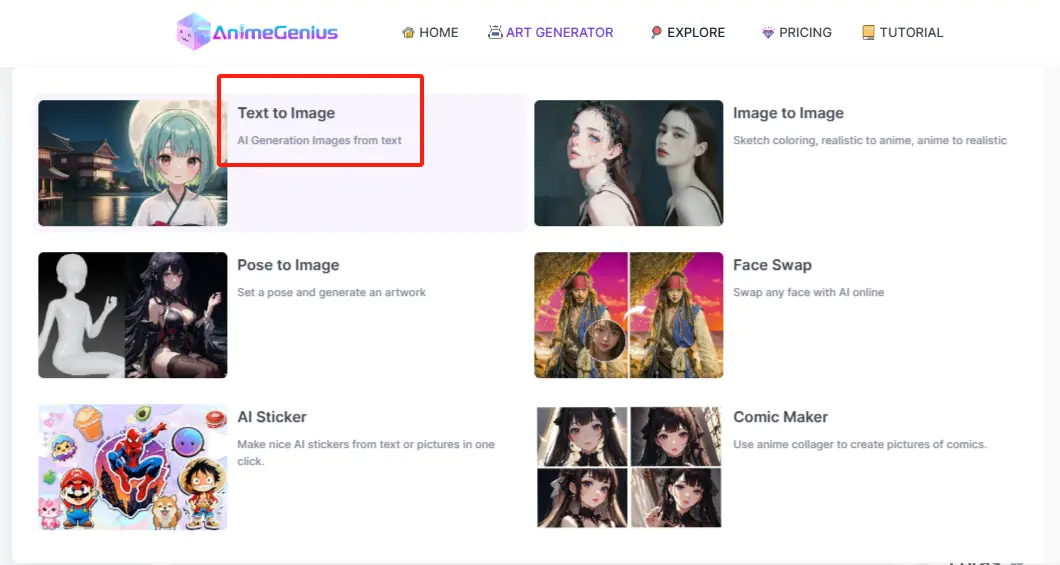
Step 1: Sign up and Click to 'Text to Image'
Before starting your creation, if you are a newcomers, you need to 'sign up 'and go to 'Text to Image'. If you already have a account, please click it directly.
Step 2: Write prompts to describe tattoo
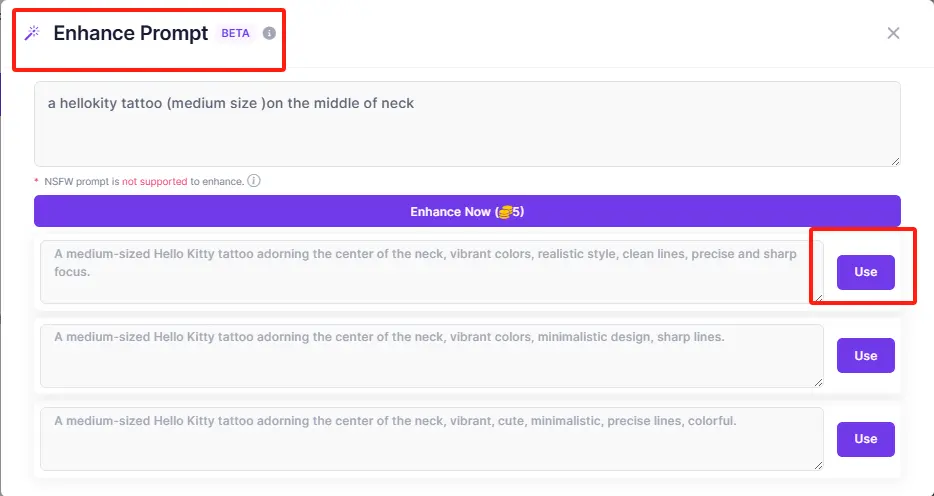
You should write specific prompts to describe your tattoo including color、position, size and so on, which help to convey your ideas to AnimeGenius more clearly.
Unlike generating anime images, Prompt Lib may not help you much with your tattoo design. But you can still use the 'Enhance' feature to further refine your tattoo prompts
Step 3: Choose custom settings
You could choose an appropriate model for showing your unique tattoo. If you want to visualize the tattoo on your body, it is recommended to use a realistic style model.
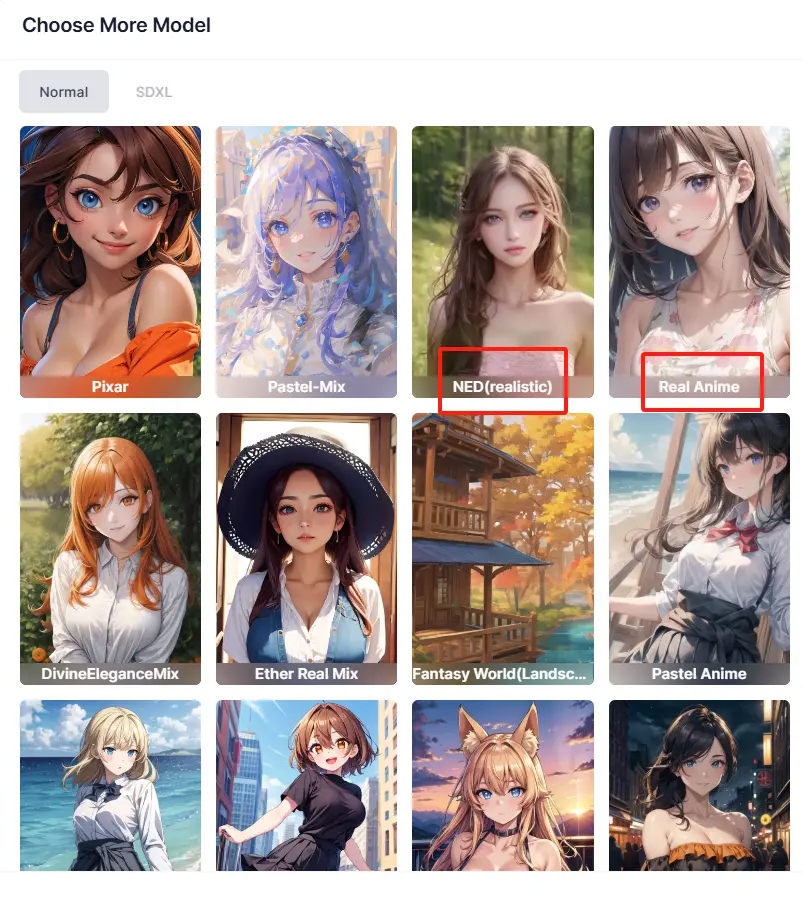
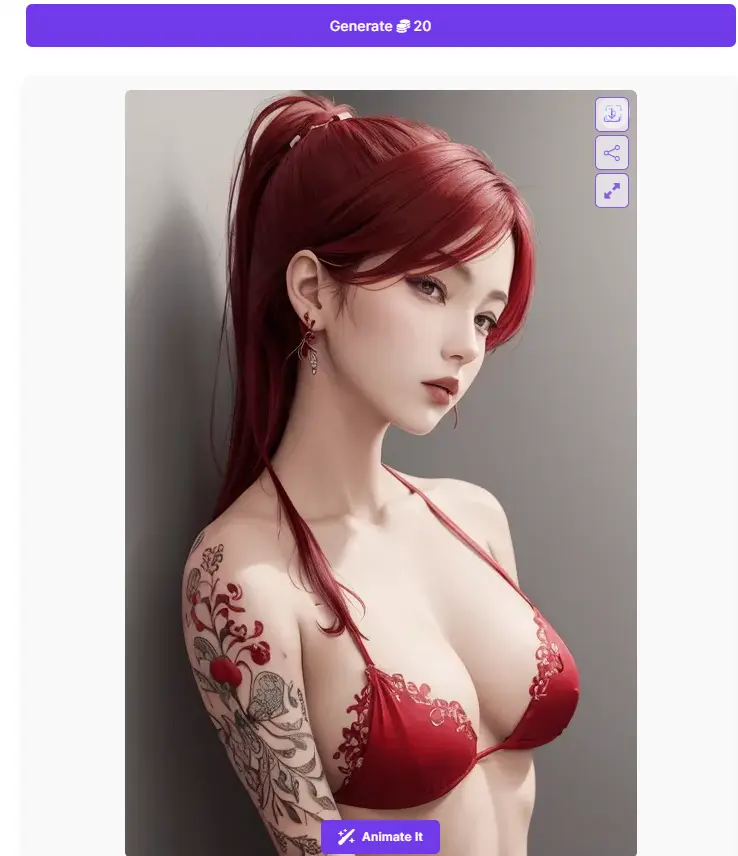
Step 4: Click to 'Generate' and then check the output
Now you can clearly see how does the tattoo look like on the body.
3. How to create AI tattoo design?
Write in advance, this function to design tattoos is not as good as the 'Basic steps', but if you are interested, you can also try it out.
Please click to 'AI Sticker', and then just write prompts like before.
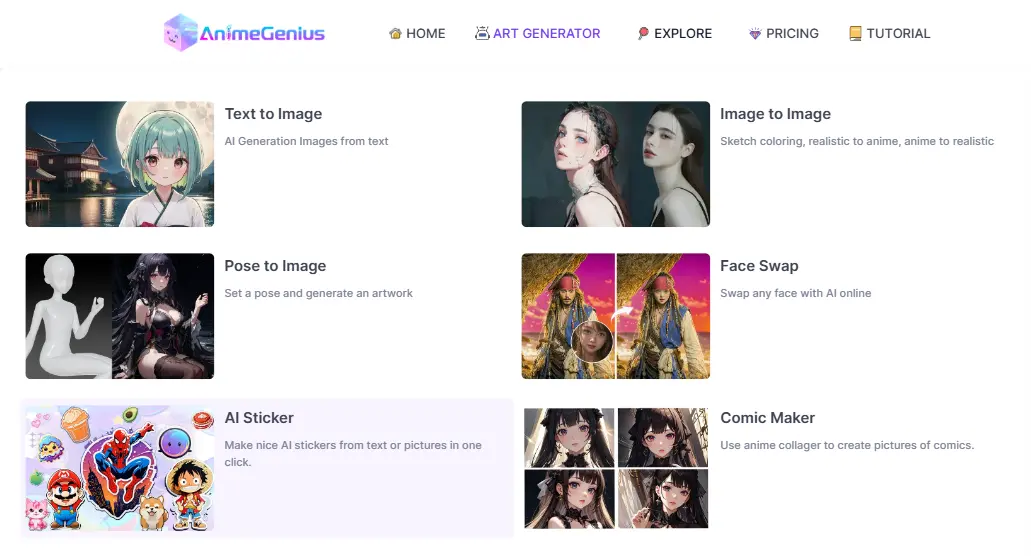
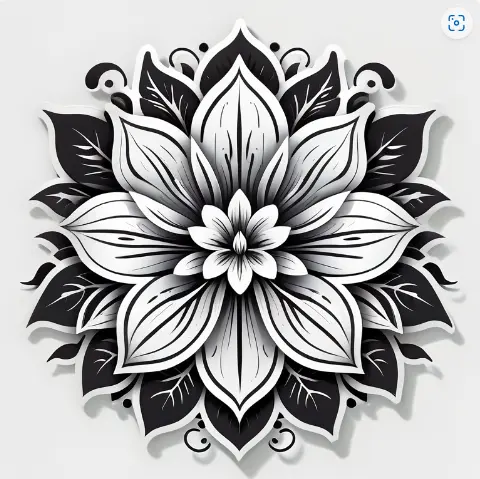
But be warned, you need to include a description like black and white in your ptompts to make the output look more like a tattoo pattern. And it can not see the effect on the body. Just like the picture below, you could use parentheses to emphasize.
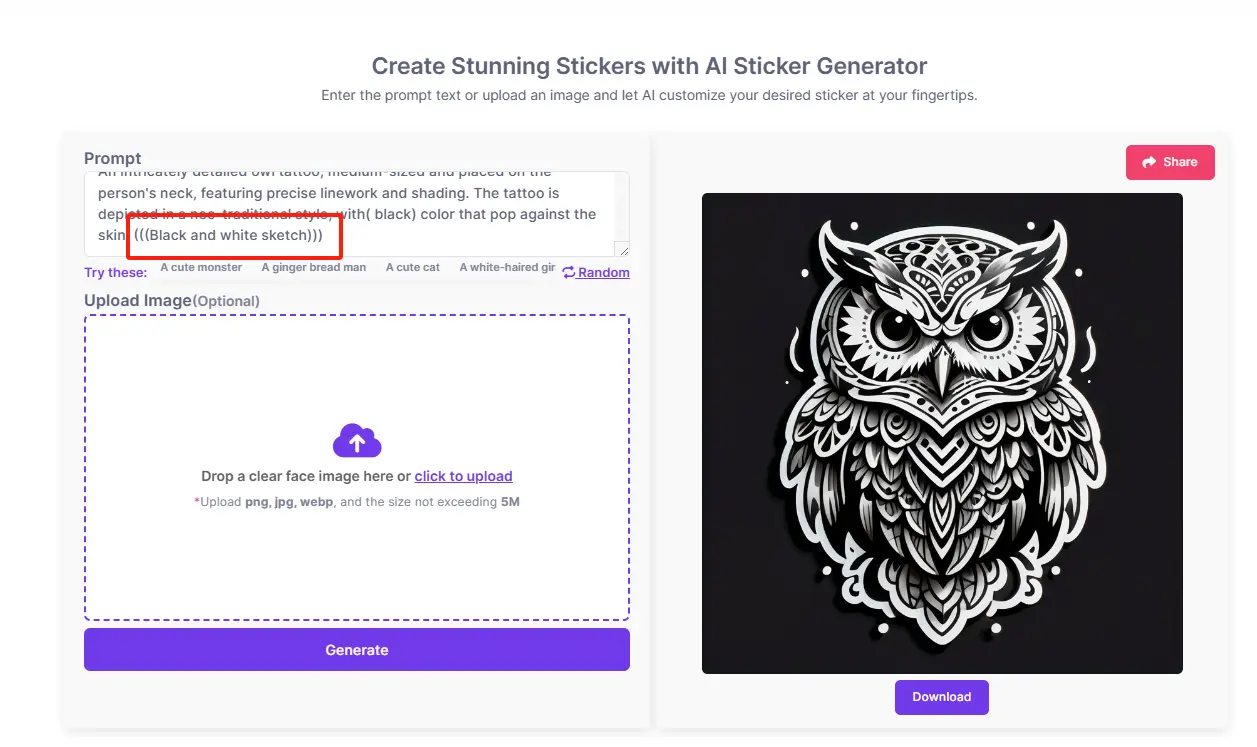
Prompt: A vibrant and detailed depiction of black and white sketch flower tattoo, showcasing intricate petals and delicate stems. Rich shading and precise linework enhance the beauty of the floral design, creating a striking visual impact. Black and white colors bring the tattoo to life, with a soft, ethereal glow adding depth and dimension to the overall composition.
4. Conclusion
Follow the three simple steps above and you'll be able to design your unique tattoos as much as you want!
Make Your Desired Tattoo Design with Our AI Generator
Try for free