
 ART GENERATOR
 EXPLORE


 TUTORIAL
How To
Learn how to use AnimeGenius AI tool with detail text & video tutorial.
Use Case
Find the hidden features of AI text-to-image generators and learn how to master AI for creative uses.
Prompt Guide
We provide detailed prompt tutorials to help you use AI like a pro

Parameter
Learn the usage of Stable Diffusion parameters and get more professional AI skills in generation.
How To Write Prompts Skillfully to Improve Your AI Anime Art?
Good prompts are crucial for generating high-quality anime artworks. For newcomers, writing prompts for the first time can be challenging. Don't worry, this article will guide you step by step on how to write prompts skillfully.
1. Basic Rules
Write as sufficient prompts as you can
The more diverse the prompts you input, the more delicate the anime artworks you generate.
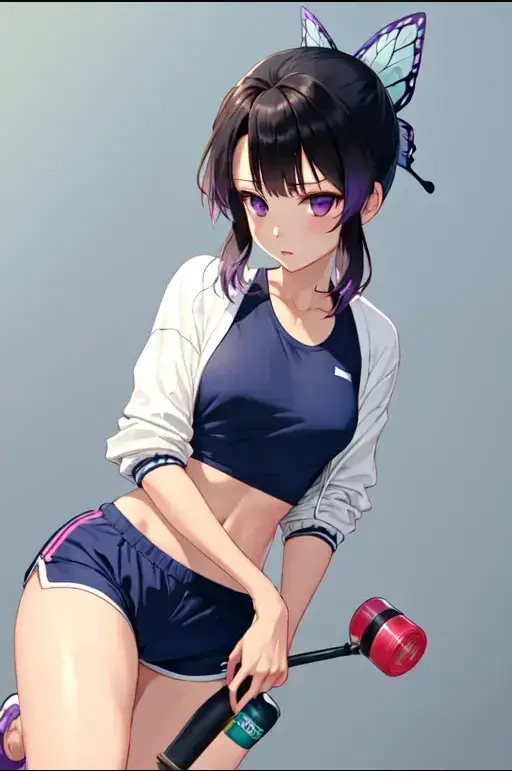
In the two artworks below, we can clearly see this difference. For the first one, which is rough, insufficient prompts result in inadequate details. The hands are notably blurry, and the background appears somewhat weird. For the artwork after adding more prompts , aspects such as hands, hair, posture, and body details have all become more refined.
But, 'write as sufficient prompts as you can' doesn't mean that you can write unlimited prompts. Please write clear and concise prompts instead of complicated ones.
Short Prompts: 1woman, black hair, blunt bangs hair,dark brown eyes
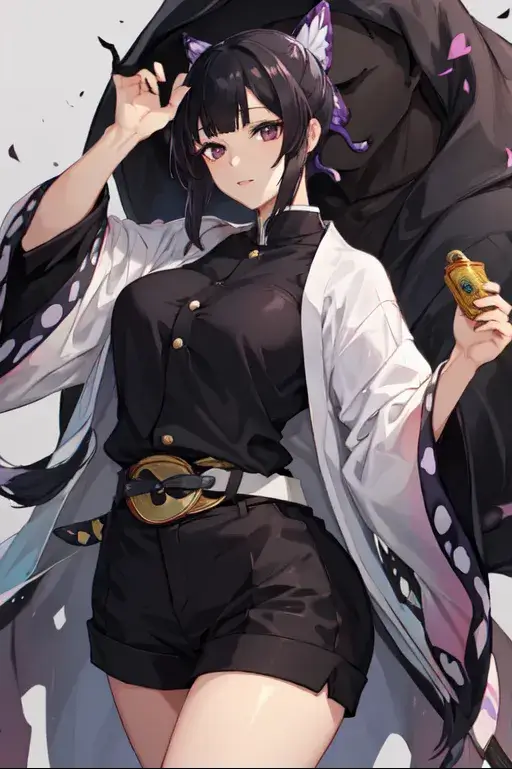
Reviesd:1woman, black hair, blunt bangs hair, dark brown eyes,high ponytail hair, cute and sexy, medium hair:0.8, small breasts, pink sport bra:1.2, navy blue running short pants, pink sneakers, white short sock, sexy, standing, drinking water from bottle, on running track, serious look, medium full view
avoid conflicting prompts
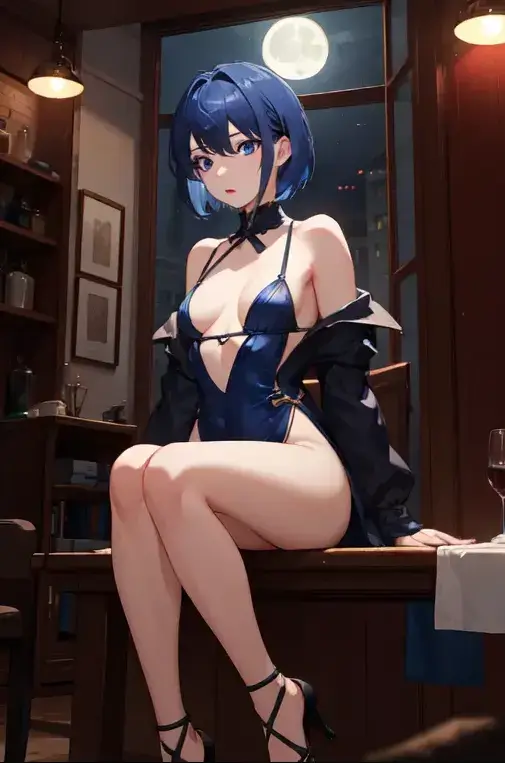
For AI, conflicting ptompts are difficult to focus on, which can disrupt the generation of AI artworks. In the first artwork, the details of the girl's eyes, as well as the portrayal of the other two girls behind her, were rough. However, after the modification, the overall clarity of the image has improved.7
Conflcting Prompts: 1girl, multiple girls, student, white skin, tan, HDR,UHD,8K, Cinematic Lighting, Sketch, large breasts, small breasts, chestnut mouth, very long hair, very short hair, blue hair, JK, living room, restaurant, front view, moon, black blindfold, make up, high heels
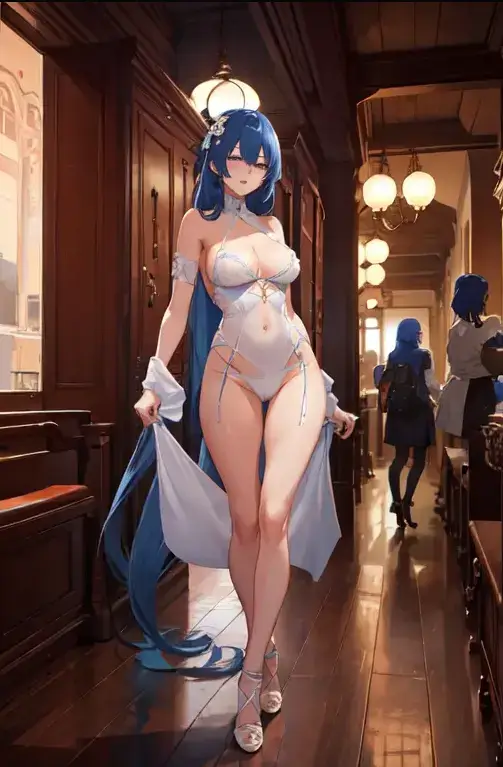
Revised: 1girl, student, white skin, HDR,UHD,8K, Cinematic Lighting, Sketch, small breasts, chestnut mouth,very short hair, blue hair, JK, living room, restaurant, front view, moon, black blindfold, make up, high heels
use brackets/parenthesis
1. Why is it necessary to use them?
In the process of writing with prompts, the function of parentheses is to emphasize. That is to say, if you include a prompt word in parentheses, AI will pay particular attention to it during the creative process, especially when there are too many prompts, parentheses can serve as effective highlights.
However, the function of bracket is completely opposite to that of parentheses. That is to say, if you want to decrease the effect of a prompt, you can use bracket.
2. Increase or Decrease
a. Increase
Example:
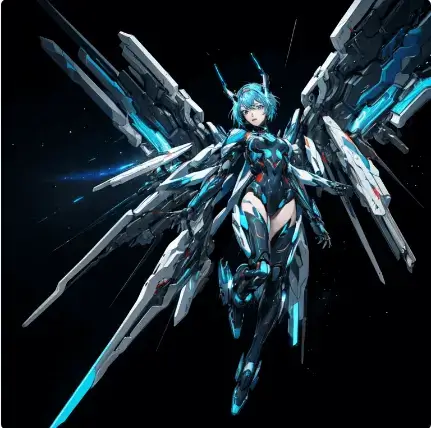
No parenthesis: 1 Cyber Mech, dynamic, ultra-detailed, flying, mechanical wings, mechanical arms, mechanical legs, blue LED eyes, makeup: 1.1, blue hair: 1.1, full body: 1.5, high-speed flight, mechanized smoke: 1.1, futuristic, space universe, starry sky, deep space background, interstellar space, nebula: 1.2, light spot: 1.1, space sense ,cyberpunk,8k
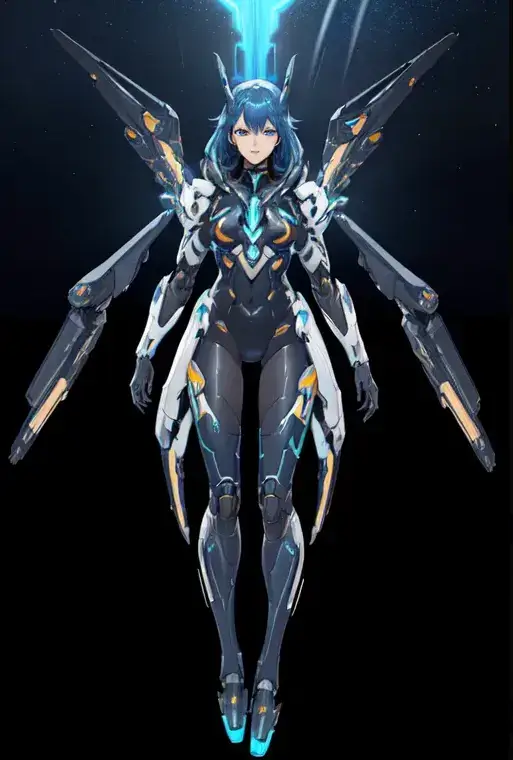
Add parenthesis: (1 Cyber Mech, dynamic, ultra-detailed), (flying), mechanical wings, mechanical arms, mechanical legs, blue LED eyes, (makeup: 1.1), (blue hair: 1.1), (full body: 1.5), high-speed flight, (mechanized smoke: 1.1), (futuristic), space universe, starry sky, deep space background, interstellar space, (nebula: 1.2), (light spot: 1.1), ((space sense)) ,((cyberpunk)),8k
b. Decrease
Example:
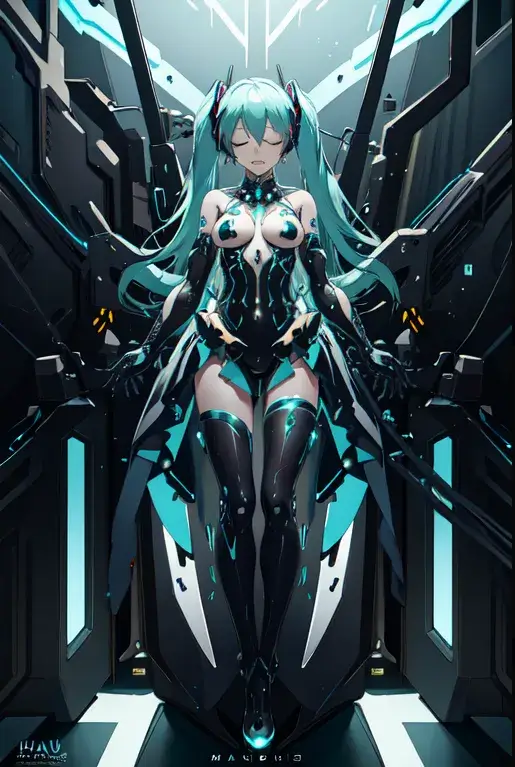
No brackets: Hatsune Miku vocaloid, gothic inflatable dark dress, closed eyes, cyborg mask, inflatable shapes, wires, tubes, veins, electric arc, electric sparks, white biomechanical details, wearing epic bionic cyborg implants, masterpiece, intricate, biopunk, vogue, highly detailed, artstation, concept art, extremely detailed, beautiful, unreal engine 5, extremely detailed background
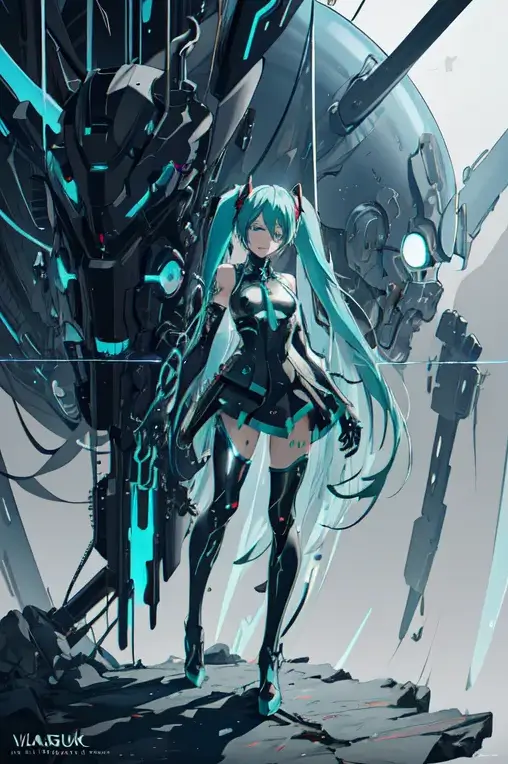
Add brackets: Hatsune Miku [vocaloid], gothic inflatable dark dress, closed eyes, [cyborg mask], inflatable shapes, [[[wires, tubes, veins, electric arc, electric sparks]]], white biomechanical details, [[wearing epic bionic cyborg implants]], masterpiece, intricate, biopunk, vogue, highly detailed, artstation, concept art, extremely detailed, beautiful, unreal engine 5, extremely detailed background
Tips
a. Pay attention to the order of the prompts
When we input too many prompts, AI might struggle to grasp the main points. So, it's pivotal to prioritize your prompts. The more you want to emphasize certain prompts, the earlier you should place them.
b. No poems, use short sentences、phrases
As for ancient poems, AI might not understand them.
2. Skillful Use of Tools
Image to prompts
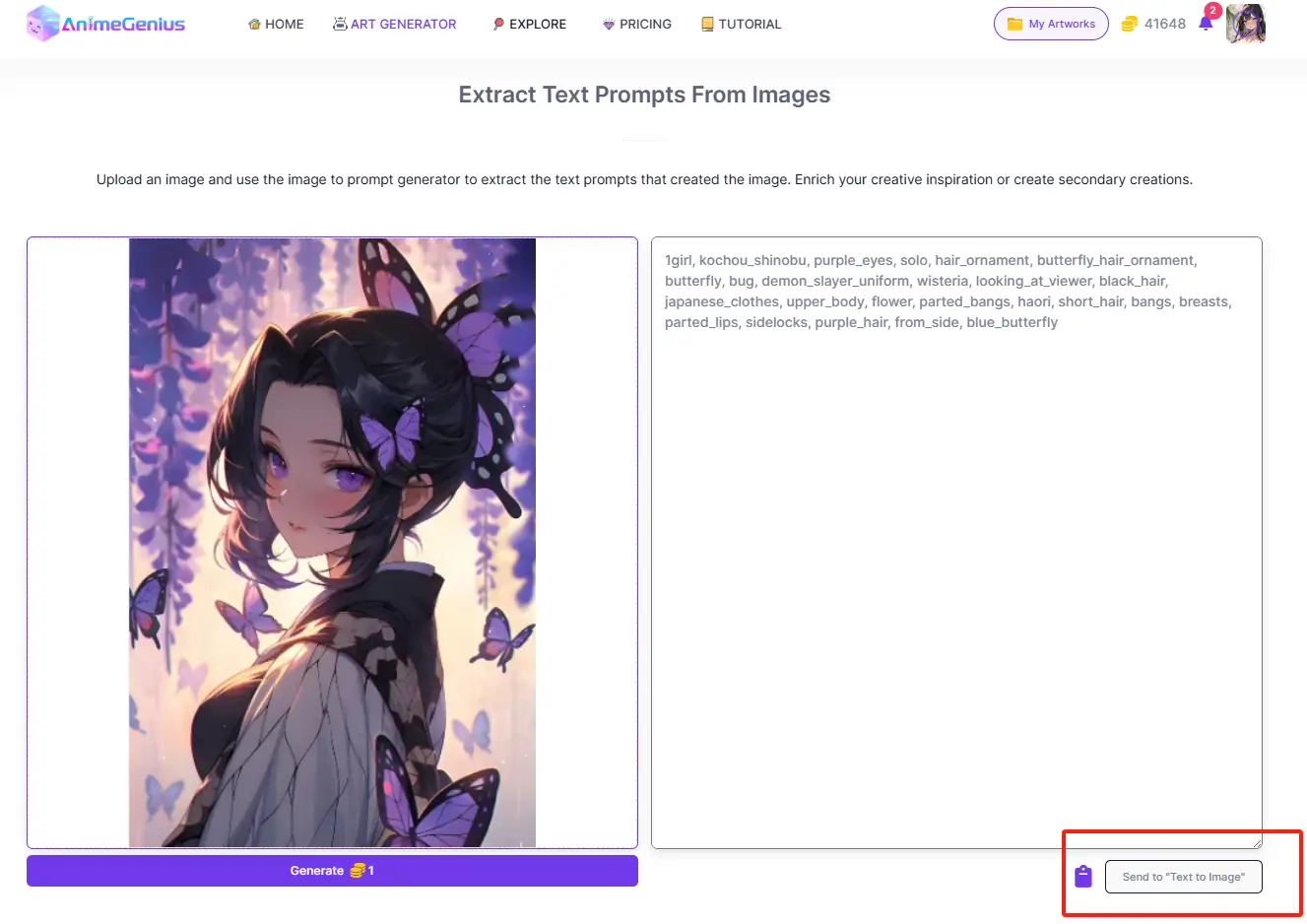
If you really like a certain image and want to get its prompts, or you want to create a certain image twice, then it is the time you need to use our ' Image to prompt AI ' . Just upload an image and get the keywords automatically.
- Step 1: Upload image
- Step 2: Send to Text to Image
ChatGPT prompts generator
If you have written according to the basic rules of the prompts, but the quality of the generated artwork is still low, then you need to use our 'Enhance' function.
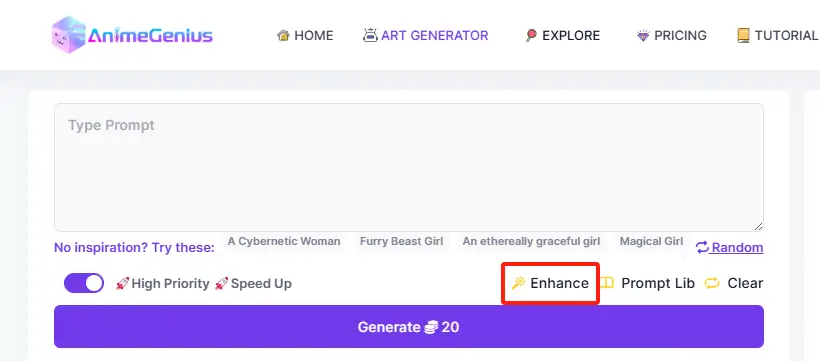
- Step 1: Write prompts
- Step 2: Click 'Enhance'
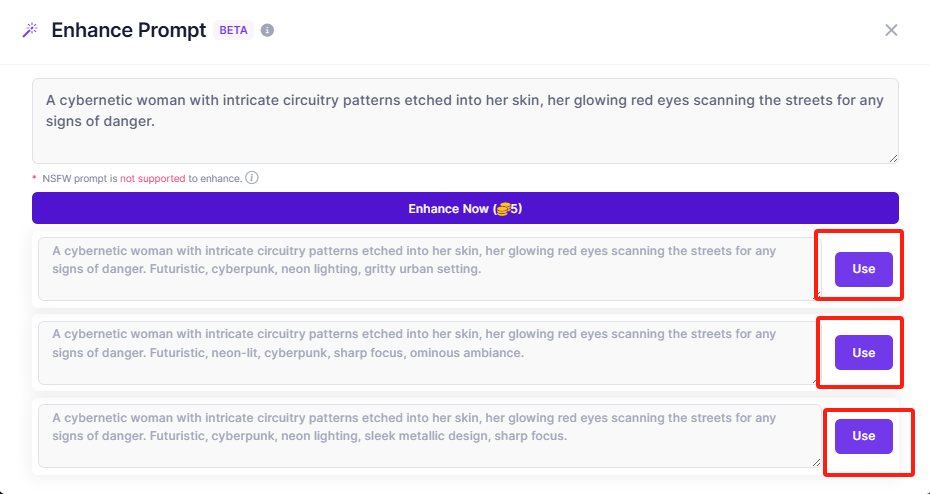
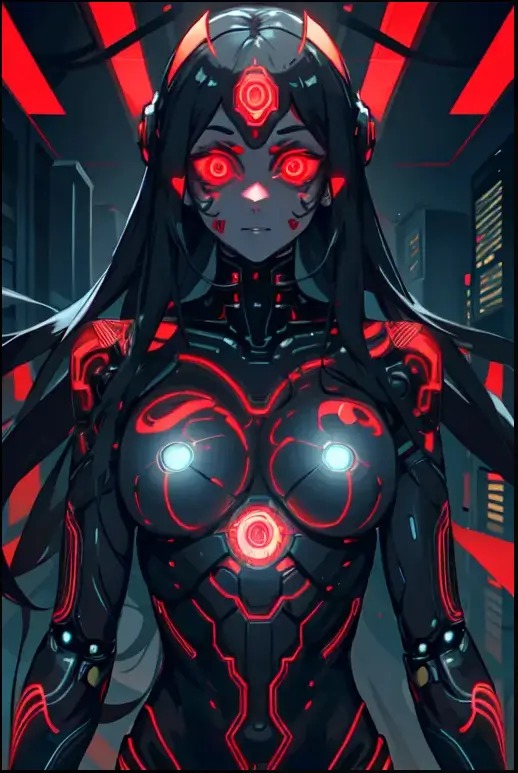
Example:
Before:
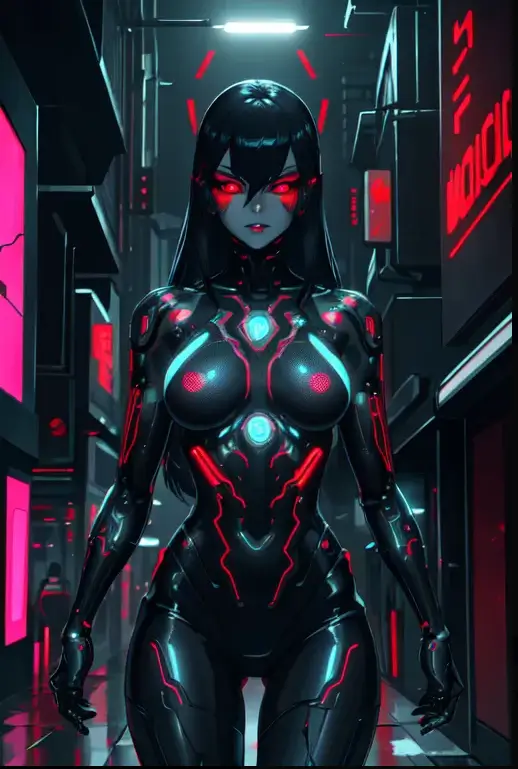
After:
3. Explore for Prompt Lib
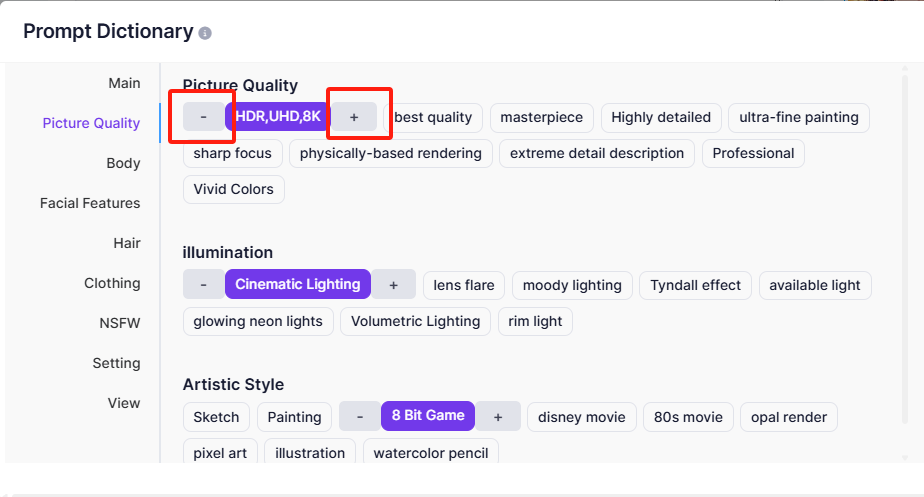
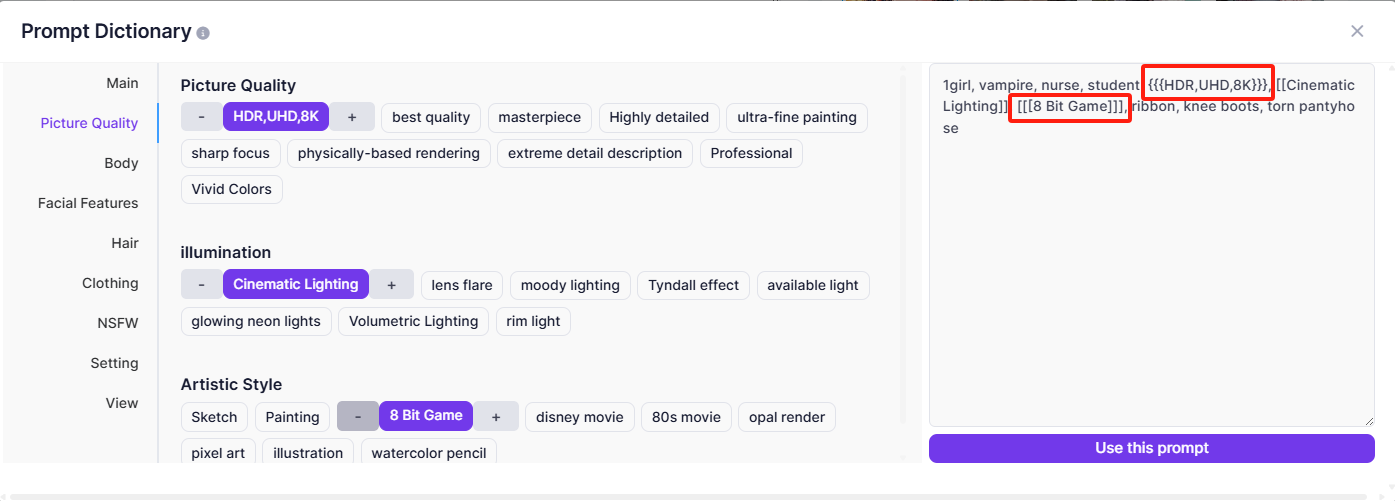
Prompt Lib offers some basic prompts in different aspects for you to choose from.
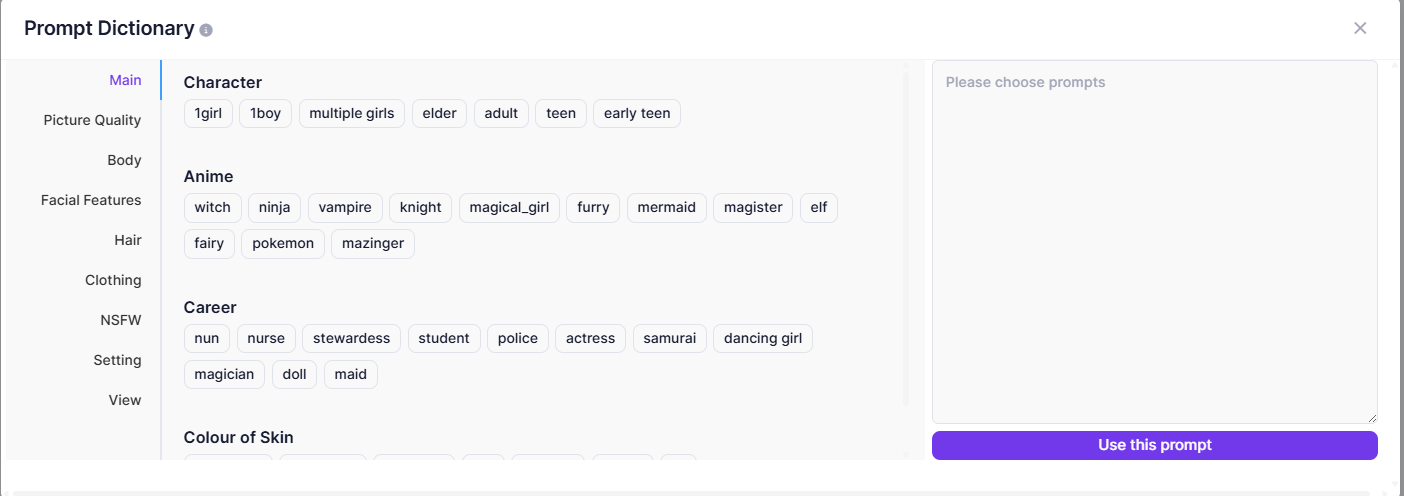
When you click on a prompt, it will have '+' and '-'signs on either side of it, which is what we mentioned earlier about prompts increase and decrease.
4. Conclusion
We have mainly mentioned three useful ways to write effective prompts. Firstly, please pay attention to our basic rules. You should write as sufficient prompts as you can、avoid conflicting prompts and use use brackets/parenthesis. Secondly, if the prompts according basic rules don't meet your needs, you could use our Image to Prompt or Enhance features. Finally, you could explore our own Prompt Lib, just choose prompts from it.
Hopefully the information above will help you write prompts skillfully.
Enjoy it!