

 ART GENERATOR
 EXPLORE


 TUTORIAL
How To
Learn how to use AnimeGenius AI tool with detail text & video tutorial.
Use Case
Find the hidden features of AI text-to-image generators and learn how to master AI for creative uses.
Prompt Guide
We provide detailed prompt tutorials to help you use AI like a pro

Parameter
Learn the usage of Stable Diffusion parameters and get more professional AI skills in generation.
How to Use AI wisely to Colorize Sketches?
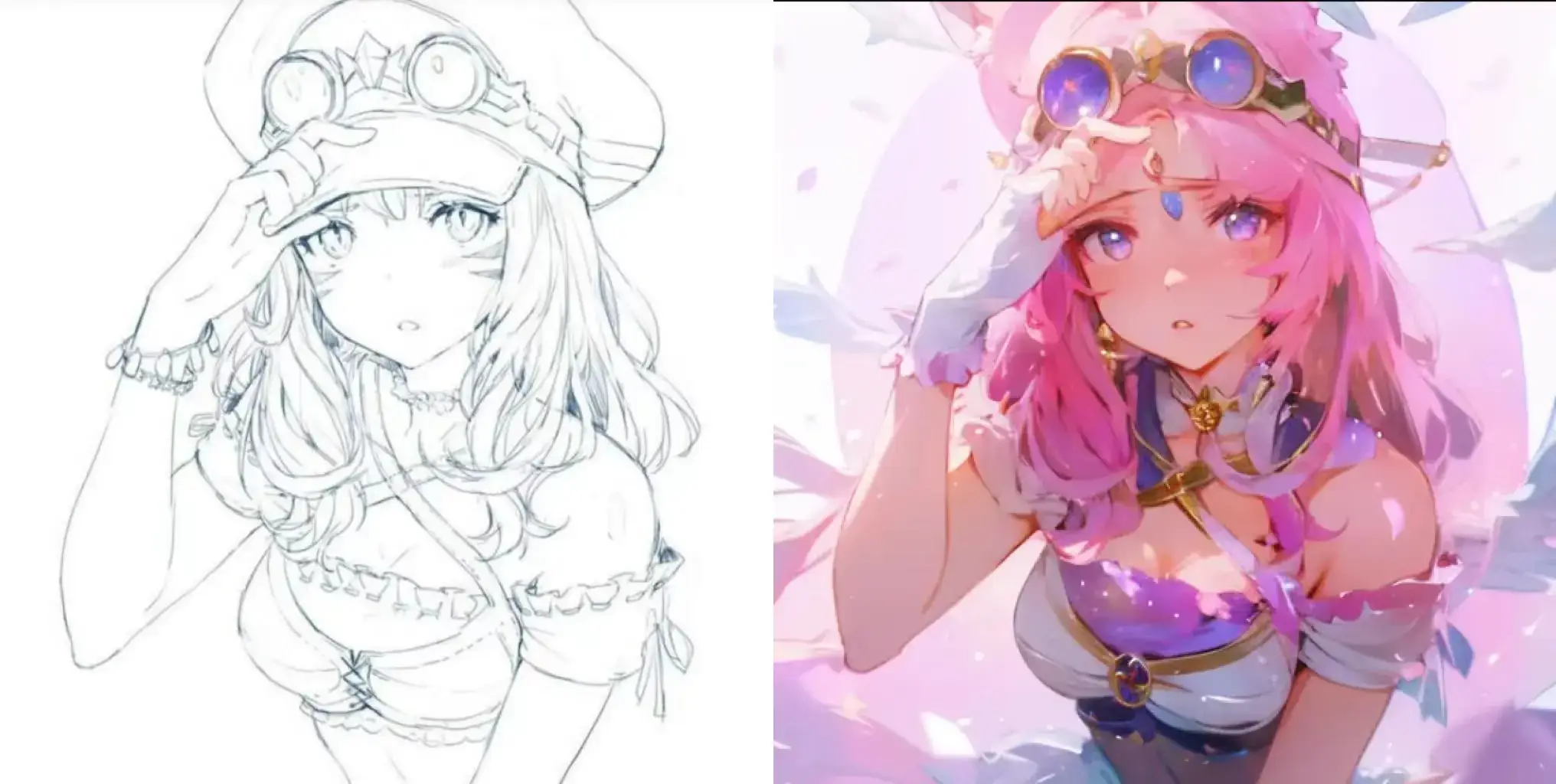
People used to use colored pencils, watercolors, or other drawing tools to color their sketches. They should carefully select the colors and manually fill or paint the sketches to achieve the desired effect. This required patience、skills and could take a lot of time.
But now with the advancement of technology, AI is fully capable of doing this job. Take AnimeGenius(AnimeGenius is a useful AI tools that allows you to generate all kinds of styles anime images by using different features) as an example, this article will show you step-by-step how to wise utilize AnimeGenius to achieve your desired results!
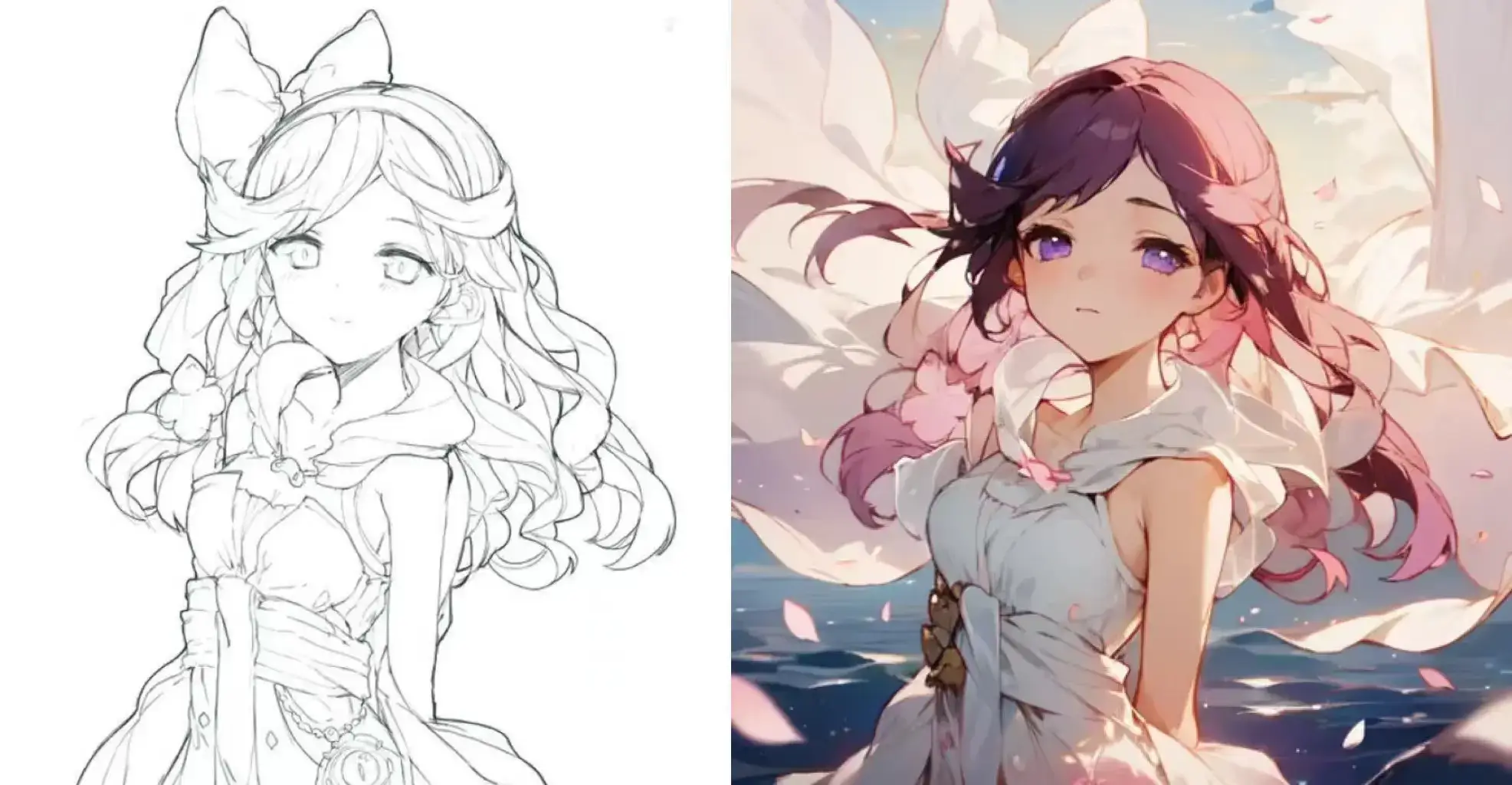
1. Basic Steps
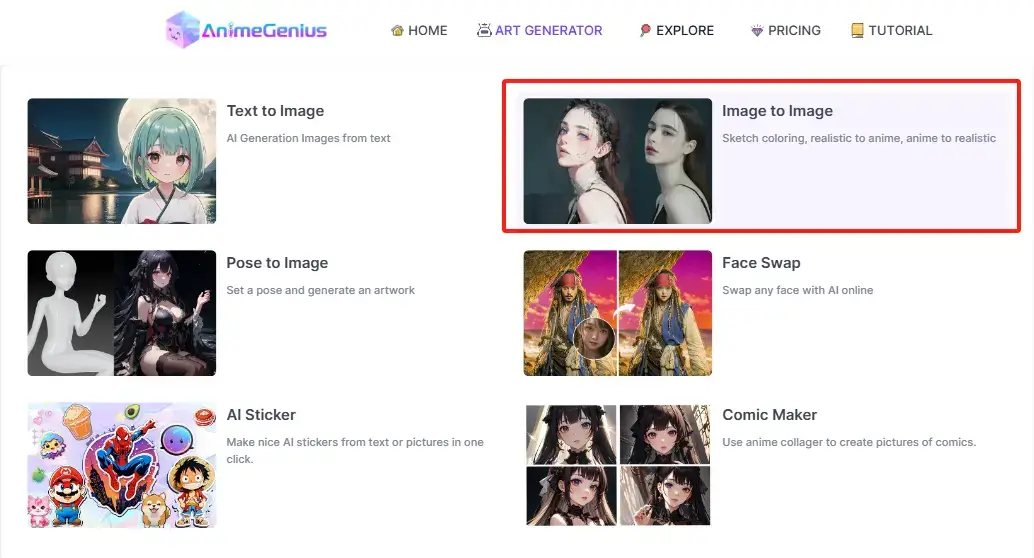
Step1: Sign up and Click to Image to Image
Before corloring your sketches, if you are a newcomers, you need to 'sign up 'and go to 'Image to Image AI'. If you already have one, please click it directly.
Step2: Click to Generation Methods
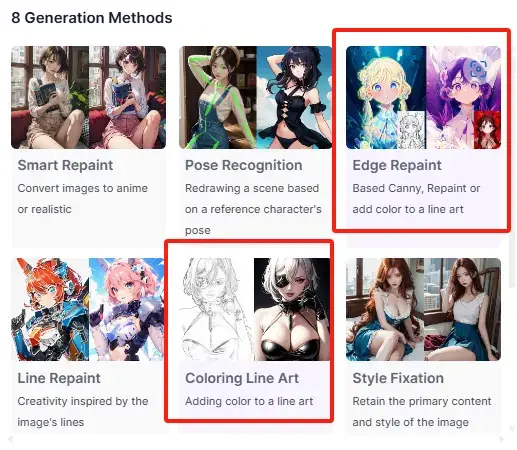
Both ways to color sketches. But compared to Coloring Line Art, Edge Repaint has the added feature of being able to repaint a sketch that has already been colored. Click 'Generation Methods'
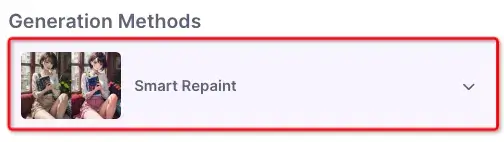
Choose 'Edge Repaint' or 'Coloring Line Art'
Step 3: Upoad a sketch and choose models & Loras
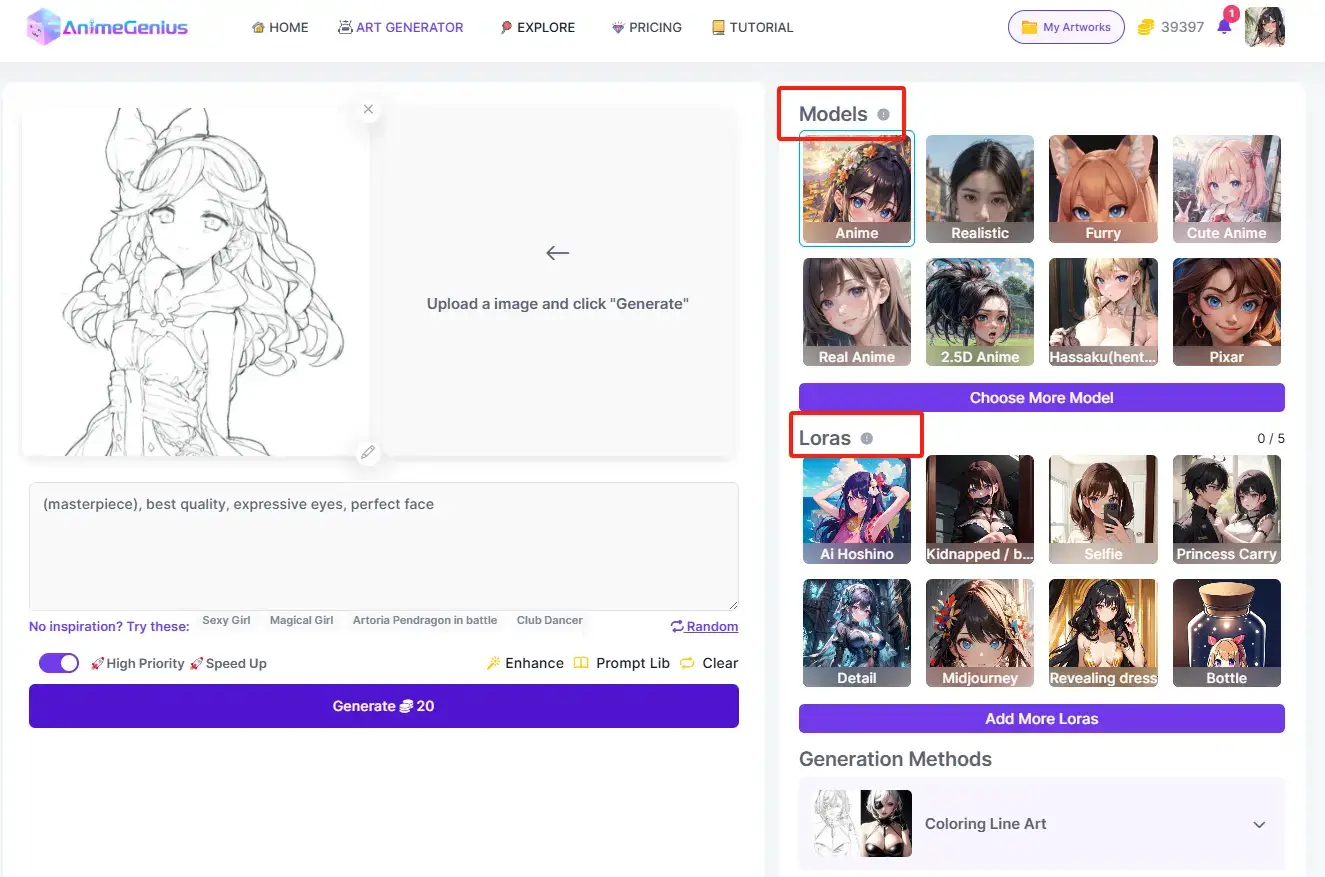
Just upload the sketch you need to colorize and then you can choose models and loras according to your preference. You can see that there are many categories of models and loras, and their role is to provide a frame of reference for the generation of your line drawings, so that the final output image is in the direction you desire.
Step 4 : Write prompts
Just like 'Text to image', enter your description of your sketch, to emphasize some parts of the character that you want to refine, and also provide more detail for the ai generation.
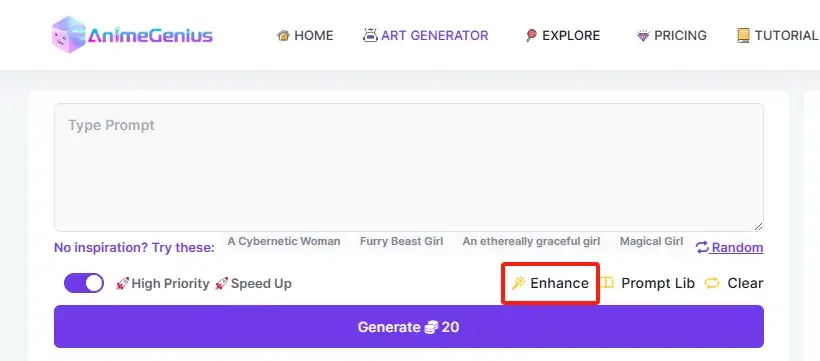
You could use our 'Enhance' and 'Prompt Lib' features to help you futher improve your prompts. For more details, please see this guide: How To Write Prompts Skillfully to Improve Your AI Anime Art?
2. Futher optimization
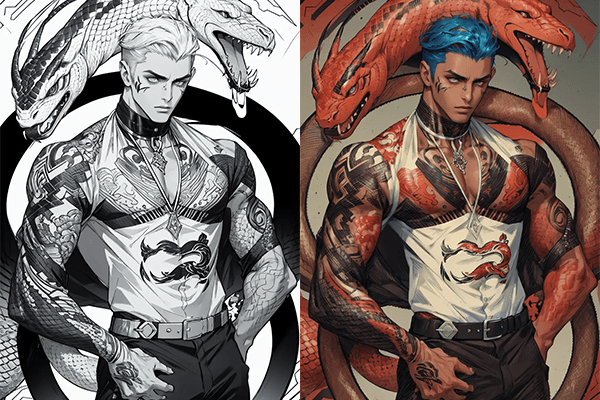
After completing the above three steps, if you are still not satisfied with the result of the generated image, then at this point, you can recolor the already colored sketch using 'Edge repaint' we above mentioned.
Repaint Before
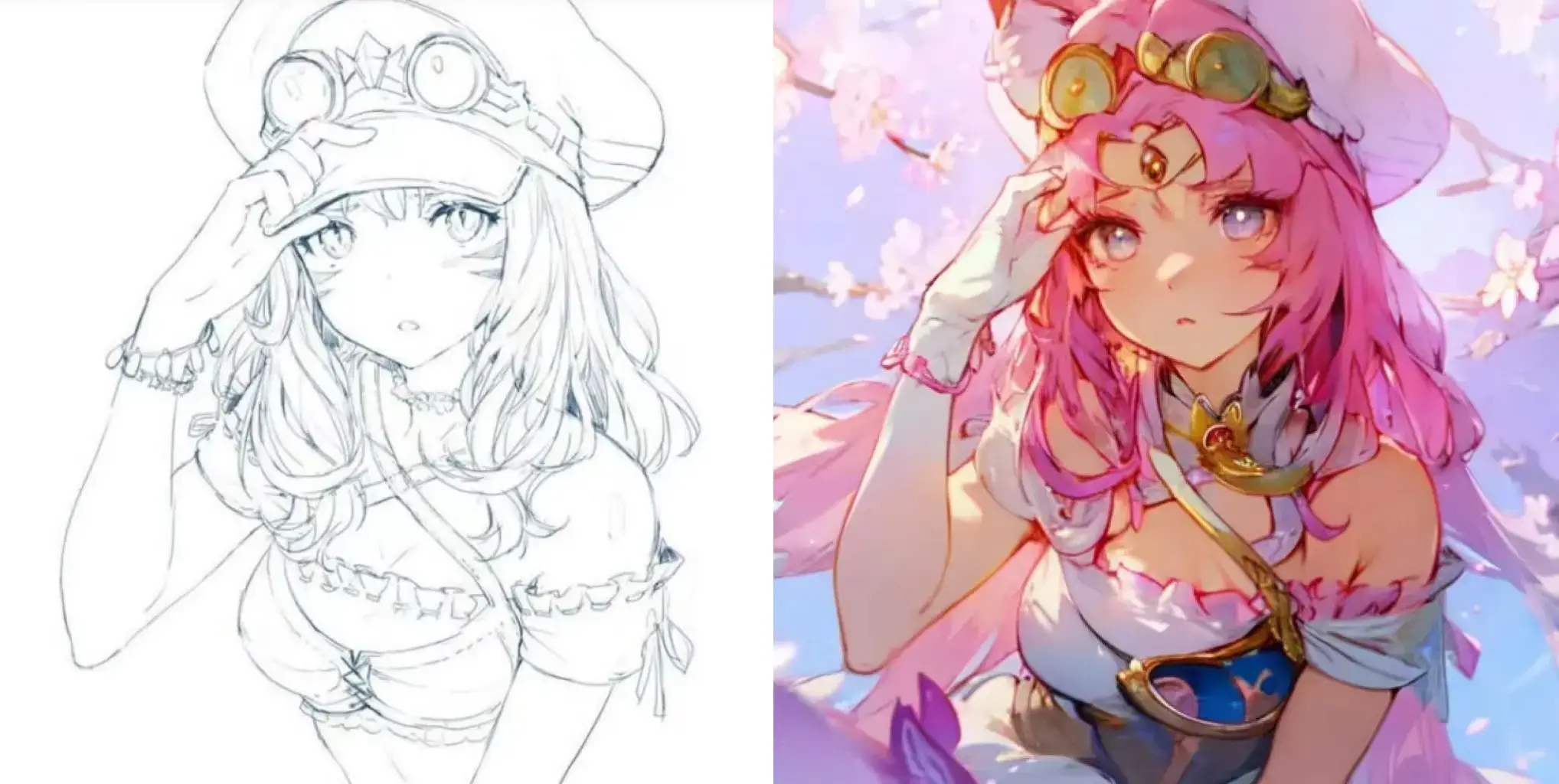
Repaint After
3. Conclusion
Follow the three simple steps above and you'll be able to color your sketches as much as you want!
Hopefully the information above will help you colorize sketch skillfully
Try AnimeGenius AI to Colorize Your Sketch For Free.
Get Started Now